July 28, 2026

Beginning with learning woocommerce development by example, this guide takes you through the fascinating world of building and customizing your online store with Woocommerce.

Woocommerce is a powerful platform that enables you to transform a standard WordPress site into a fully functional eCommerce store. It offers a myriad of features that cater to various business needs, making it essential for developers to gain hands-on experience. This overview discusses the importance of practical examples in mastering Woocommerce development and sets the stage for the learning journey ahead.

Introduction to Woocommerce Development

Learning Woocommerce development is essential for anyone looking to create robust online stores with ease. By engaging with practical examples, developers can grasp the intricacies of the platform, which can often feel overwhelming at first. Woocommerce stands out due to its versatility, making it a favorite for entrepreneurs and businesses wanting to establish an online presence.Woocommerce is a powerful, open-source eCommerce platform built on WordPress, enabling users to sell both physical and digital products.

Its extensive features include inventory management, shipping options, tax calculation, and various payment gateways, providing a comprehensive solution for online merchants. The importance of hands-on experience cannot be overstated; it reinforces learning and equips developers with the skills required to tackle common challenges and customize their stores effectively.

Setting Up a Woocommerce Development Environment

Creating a reliable development environment is the first step to diving into Woocommerce. This process generally involves installing WordPress and Woocommerce on a local server. Here’s a quick overview of the necessary steps:

  1. Download and install a local server environment like XAMPP, MAMP, or WAMP.
  2. Download the latest version of WordPress from the official website.
  3. Set up a new database using phpMyAdmin through your local server dashboard.
  4. Install WordPress by placing the downloaded files into the local server’s root directory and running the installation process.
  5. Once WordPress is set up, install the Woocommerce plugin through the admin dashboard.

To enhance your development workflow, essential tools and plugins include:

  • Code Editor: Software like Visual Studio Code or Sublime Text for writing code.
  • Browser Developer Tools: For inspecting and debugging HTML, CSS, and JavaScript.
  • Debugging Plugins: Consider using Debug Bar or Query Monitor for troubleshooting.

Configuring the settings for optimal development can significantly improve efficiency. Enable debugging in your WordPress configuration file, and set up permalinks for -friendly URLs.

Building a Basic Woocommerce Store

Setting up a basic Woocommerce store is an exciting endeavor. Follow this step-by-step guide to create a simple product catalog:

  • Navigate to the Woocommerce settings in your WordPress dashboard.
  • Configure general settings, including store location, currency, and measurement units.
  • Set up product categories to organize your product offerings effectively.
  • Add your first product by selecting “Add New” under the Products tab. Fill in product details, including name, description, and price.

Woocommerce allows for various product types:

  • Simple Products: Basic items without variations.
  • Variable Products: Products with variations, such as clothing sizes or colors.
  • Grouped Products: A collection of related products sold together.

To ensure customers can purchase products, setting up payment gateways and shipping options is crucial. Woocommerce integrates easily with several payment processors like PayPal and Stripe, and allows configuration of shipping methods based on geography and product weight.

Customizing the Woocommerce Store

The appearance of your store plays a significant role in user experience. Using themes, you can alter the visual elements of your store. Popular themes for Woocommerce include Astra, Storefront, and OceanWP, which offer customization options to match your brand’s identity.To customize product pages further, familiarize yourself with hooks and filters in Woocommerce. These PHP functions allow you to inject or modify content dynamically.

Examples include changing the position of product descriptions or adding custom badges for new products.CSS modifications can greatly enhance the user interface. For instance, adjusting button styles or typography can improve the overall aesthetics and usability of the store. Simple changes like modifying background colors or font sizes can make a significant impact on user engagement.

Extending Woocommerce Functionality

Woocommerce’s capabilities can be extended by using various popular plugins. Plugins like Yoast can enhance search engine visibility, while WooCommerce Subscriptions can allow for recurring payments. Creating custom plugins can also address specific functionality needs that existing plugins do not fulfill. For example, a custom plugin could integrate a loyalty program or unique shipping options tailored to your business model.Integrating third-party services like CRM systems or email marketing tools further enhances your store’s functionality.

This integration allows for automated customer communication and streamlined order management, improving customer satisfaction.

Developing Custom Features

Adding custom fields to product pages can provide additional information that may be pertinent to customers, such as care instructions or additional specifications. This can be accomplished using custom fields or a plugin like Advanced Custom Fields.Creating unique checkout processes may require coding expertise, allowing for a better user experience. For example, you might implement one-page checkouts or custom upsell options during the checkout process to maximize sales.Implementing custom reporting features can provide valuable insights into your store’s performance.

By tracking specific metrics, such as conversion rates or average order value, you can make informed decisions on inventory and marketing strategies.

Best Practices in Woocommerce Development

Maintaining code organization and utilizing version control systems like Git is vital in Woocommerce development. This practice not only helps keep track of changes but also facilitates collaboration with other developers.Security and performance are critical aspects of running an online store. Regularly update WordPress, themes, and plugins to protect against vulnerabilities. Additionally, optimize images and utilize caching plugins to enhance site speed.Testing and debugging customizations is essential to ensure a seamless user experience.

Employ thorough testing techniques, including functional testing and user acceptance testing, to identify and resolve issues before they impact customers.

Learning Resources and Community Support

A wealth of resources is available for those looking to deepen their understanding of Woocommerce development. Websites like the official Woocommerce documentation offer extensive guides and tutorials.Engaging with the Woocommerce community through forums and social media groups can provide support and insights from experienced developers. Networking within these communities often leads to valuable collaborations and new opportunities.Key online courses and tutorials focusing on practical development examples can accelerate the learning process.

Platforms like Udemy, Coursera, and LinkedIn Learning offer structured content that caters to various skill levels, ensuring that everyone can find a suitable learning path.

Final Conclusion

In conclusion, learning woocommerce development by example equips you with the necessary skills to create, customize, and expand your online store effectively. By engaging with real-world examples and best practices, you not only enhance your technical abilities but also prepare yourself to meet diverse eCommerce challenges. Embrace this opportunity to dive into the vibrant world of Woocommerce and watch your ideas come to life!

FAQ Guide

What are the prerequisites for learning Woocommerce development?

Basic knowledge of WordPress and PHP is recommended to effectively engage with Woocommerce development.

Can I learn Woocommerce development without coding experience?

While some coding knowledge is beneficial, many aspects of Woocommerce can be learned through its user interface.

How long does it take to become proficient in Woocommerce development?

Proficiency varies by individual; however, with consistent practice and application, you can see significant progress within a few months.

Are there any certification programs for Woocommerce development?

Yes, there are various online courses and certifications available that focus on Woocommerce and eCommerce development.

Is it necessary to learn how to create custom plugins for Woocommerce?

While not mandatory, learning to create custom plugins can greatly enhance your store’s functionality and help you stand out.

Training and development meaning in telugu serves as a gateway to understanding how organizations cultivate talent and enhance skills within their workforce. This exploration not only sheds light on the cultural significance of these concepts in Telugu-speaking regions but also highlights their vital role in fostering professional growth and organizational success.

Delving deeper, training and development encompass various practices tailored to improve employee capabilities across diverse industries. From workshops to online courses, these initiatives pave the way for career advancement, ensuring that both individuals and organizations thrive in an ever-evolving job market.

Definition of Training and Development

Training and development refer to the organized activities designed to enhance the skills, knowledge, and competencies of employees. In Telugu, this can be articulated as “ప్రశిక్షణ మరియు అభివృద్ధి” (Prashikshana Mariyu Abhivrudhi). This concept is vital across various sectors, whether in education, healthcare, or corporate environments. For instance, in the IT industry, companies often conduct coding boot camps and workshops to ensure that their staff is up-to-date with the latest programming languages and technologies.

In retail, training might focus on customer service skills and product knowledge to improve sales performance. This ongoing professional development is crucial for career advancement and keeping pace with industry changes.

Importance of Training and Development

Training and development play a pivotal role in the success of any organization. One of the key reasons is that they lead to increased productivity and efficiency among employees. Research has shown that companies that invest in employee training see a significant boost in performance. For example, according to a report by the Association for Talent Development, organizations with comprehensive training programs experience a 24% higher profit margin than those without.

Moreover, training and development are essential for employee satisfaction and retention. Employees who feel valued and see opportunities for growth within their organization are more likely to stay, reducing turnover costs.

Types of Training and Development

There are several types of training programs designed to meet the diverse needs of employees and organizations. Understanding the various formats helps organizations choose the right method for their workforce. Here’s a list of common training types:

  • On-the-Job Training: Employees learn in a real work environment. For example, a new hire in a restaurant will shadow an experienced server.
  • Online Training: This involves remote learning through webinars or e-learning platforms, making it flexible and accessible.
  • Workshops: These are interactive sessions facilitated by experts, focusing on specific skills like leadership or communication.
  • Mentorship Programs: Pairing less experienced employees with seasoned mentors to guide their professional development.
  • Simulations: Creating realistic scenarios to train employees, especially in fields like aviation or healthcare, where practical experience is crucial.

Training Needs Assessment

Conducting a training needs assessment is essential for identifying the specific skills and knowledge gaps within an organization. The process typically involves several steps:

  1. Define the objectives of the assessment.
  2. Gather data through surveys, interviews, or performance reviews to understand current skill levels.
  3. Analyze the data to identify gaps between existing skills and the skills needed for optimal performance.
  4. Prioritize training needs based on business goals and employee feedback.
  5. Develop an action plan to address identified training needs.

Designing Effective Training Programs

Creating a well-structured training program involves several essential components. Key elements include clear learning objectives, engaging content, and appropriate assessment methods. Here are some guidelines for developing training materials that resonate with participants:

  • Use interactive elements like quizzes and discussions to keep the participants engaged.
  • Incorporate real-life examples and case studies to make the content relatable.
  • Utilize various media, such as videos and infographics, to cater to different learning styles.

Challenges in Training and Development

Organizations often encounter challenges when implementing training programs. Some common obstacles include budget constraints, resistance to change, and time limitations. To overcome these barriers, companies can adopt several strategies:

  • Engage employees in the training design process to increase buy-in.
  • Implement microlearning techniques to deliver training in shorter, more manageable segments.
  • Leverage technology to provide flexible learning options that fit employees’ schedules.

The Role of Technology in Training and Development

Technology has significantly transformed training and development practices. Innovative tools such as Learning Management Systems (LMS), virtual reality (VR), and mobile applications provide new ways to deliver training. For instance, VR can offer immersive experiences for skills training, particularly in high-risk industries. While technology enhances accessibility and engagement, it’s essential to balance it with personal interaction to ensure effective learning.

Future Trends in Training and Development

As the workplace continues to evolve, several emerging trends are shaping the future of training and development. The rise of artificial intelligence and machine learning is personalizing the training experience, allowing for tailored learning paths based on individual performance data. Additionally, there is a growing emphasis on continuous learning, with organizations offering ongoing training opportunities to keep pace with rapidly changing industry dynamics.

This focus on lifelong learning is crucial for maintaining a competitive edge in today’s fast-paced environment.

Ending Remarks

In conclusion, grasping the training and development meaning in telugu reveals the intricate relationship between effective learning strategies and successful workforce management. As we look to the future, the importance of continuous training becomes undeniable, driving innovation and employee satisfaction while shaping a resilient workplace.

Answers to Common Questions

What is the significance of training and development?

Training and development are crucial for enhancing employee skills, improving performance, and fostering job satisfaction, which ultimately benefits the organization as a whole.

How can organizations assess training needs?

Organizations can assess training needs through surveys, performance evaluations, and feedback from employees to identify skill gaps and training requirements.

What types of training programs are most effective?

On-the-job training, online courses, and interactive workshops are considered effective as they cater to various learning styles and provide real-world applications.

How does technology enhance training and development?

Technology enhances training and development by offering innovative tools and platforms that facilitate e-learning, track progress, and provide accessible resources.

What future trends should we expect in training and development?

Future trends may include increased use of artificial intelligence, personalized learning experiences, and a greater emphasis on continuous learning and development in the workplace.

Vivid center for learning & development is not just a place; it’s a vibrant hub where curiosity meets opportunity. With a clear mission to foster personal and professional growth, this center paves the way for individuals to unlock their full potential through innovative learning experiences.

In today’s fast-paced world, the significance of continuous learning and development cannot be overstated. The center offers a diverse array of services, including workshops, professional courses, and community engagement programs, all designed to cater to various age groups and needs.

Introduction to Vivid Center for Learning & Development

The Vivid Center for Learning & Development is dedicated to fostering an environment that emphasizes growth, knowledge, and skills enhancement. Their mission is to empower individuals through comprehensive learning experiences, while their vision encompasses creating a community where continuous education is a fundamental aspect of life. In today’s rapidly changing world, learning and development play a crucial role in keeping pace with technological advancements and evolving job markets.

The center offers various services, including personalized coaching, workshops on emerging skills, and interactive seminars that cater to both personal and professional growth. These services are carefully crafted to meet the diverse needs of learners at every stage of their journey.

Programs and Courses Offered

Vivid Center provides a range of programs designed for different age groups, ensuring that everyone has access to quality learning opportunities.

  • Children’s Programs: Engaging activities that foster creativity and critical thinking.
  • Teen Workshops: Focused on leadership skills and preparing for college.
  • Adult Learning: Courses that enhance career development and personal growth.

In addition to age-specific programs, the center also offers specialized courses aimed at professional development. These courses are tailored for individuals looking to advance in their careers or shift into new industry roles. Workshops and seminars are a key component of the learning experience at Vivid Center, providing hands-on opportunities to apply knowledge. Below is a table summarizing some of these offerings:

Workshop/Seminar Duration Target Audience
Effective Communication Skills 3 Days Professionals
Creative Problem Solving 2 Days Students and Adults
Leadership Essentials 5 Days Emerging Leaders

Teaching Methods and Approaches

At Vivid Center, traditional learning methods are complemented by innovative teaching techniques designed to enhance engagement and retention. For example, while lectures are still part of the curriculum, there is a strong emphasis on interactive and experiential learning.Experiential learning is implemented through real-world projects, allowing participants to apply their knowledge in practical scenarios. This method not only enhances understanding but also builds confidence in learners.Interactive activities are a hallmark of this approach, and they include:

  • Group discussions that encourage diverse perspectives.
  • Role-playing scenarios for skill practice.
  • Hands-on projects that require collaboration and problem-solving.

Success Stories and Testimonials

Many individuals have experienced transformative changes after attending programs at Vivid Center. Case studies illustrate how tailored learning has propelled careers and personal development to new heights. Participants often share positive feedback about their experiences, contributing to a culture of encouragement and motivation. Here’s a glimpse into the testimonials from past attendees:

Name Testimonial
Sarah L. “The workshops helped me gain confidence and skills that were crucial for my job promotion.”
Marcus T. “I loved the interactive format; it made learning enjoyable and relevant.”
Elena R. “A turning point in my career! I landed my dream job thanks to the skills I learned.”

Community Engagement and Partnerships

The Vivid Center is committed to community engagement through strategic partnerships with educational institutions and organizations. These collaborations enhance the center’s offerings and extend its reach into the community, ensuring more individuals benefit from quality learning experiences.Community outreach programs are designed to make education accessible to all. These initiatives have had a significant impact, providing resources and learning opportunities to underserved populations.Collaborative events, such as community seminars and educational fairs, highlight the center’s dedication to fostering a culture of learning beyond their walls.

For instance, a recent initiative involved partnering with local schools to provide workshops on digital literacy.

Future Initiatives and Goals

Looking ahead, Vivid Center plans to introduce new programs that align with emerging trends in the workforce and education. Upcoming initiatives include a focus on technology integration in learning and mental wellness workshops.Additionally, there are goals to expand resources and services, making them more accessible to a broader audience. A timeline for future developments includes milestones for launching online courses and community events over the next few years.This proactive approach ensures that Vivid Center remains at the forefront of education and development, continually adapting to the needs of learners in a changing world.

Conclusion

In conclusion, the Vivid Center for Learning & Development stands as a beacon of hope and knowledge, inspiring countless individuals to take charge of their futures. With a commitment to innovation and community involvement, the center is poised to continue making a meaningful impact in the lives of many.

Question & Answer Hub

What types of programs are available at the center?

The center offers various programs tailored for different age groups, including children’s workshops, adult professional development courses, and community outreach initiatives.

How does the center ensure the effectiveness of its teaching methods?

The center employs a blend of traditional and innovative teaching methods, focusing on experiential learning and interactive activities to engage students actively.

Can I participate in workshops without prior experience?

Absolutely! Many workshops are designed for beginners and provide a supportive environment for learning new skills.

Are there any opportunities for partnerships or collaborations?

Yes, the center actively seeks partnerships with educational institutions and organizations to enhance community engagement and learning opportunities.

What future initiatives does the center have planned?

The Vivid Center is continuously evolving, with plans to expand its resources and services, including new programs and events aimed at enhancing community involvement.

As online teaching for kindergarten jobs takes center stage, this opening passage beckons readers into a world crafted with good knowledge, ensuring a reading experience that is both absorbing and distinctly original.

The shift toward online education has transformed the landscape of early childhood learning, with a notable uptick in demand for qualified online kindergarten teachers. This mode of teaching not only offers flexibility and accessibility but also presents unique challenges that educators must navigate. Understanding the requirements, tools, and strategies for effective online teaching is essential for anyone looking to thrive in this evolving educational environment.

Overview of Online Teaching for Kindergarten Jobs

Online teaching has emerged as a significant mode of education, particularly for early learners in kindergarten. This innovative approach allows educators to connect with young children in a digital space, fostering learning through interactive technologies. The significance lies in its ability to accommodate diverse learning styles and provide access to quality education regardless of geographical barriers. The rise of online teaching roles in kindergarten is underscored by impressive statistics.

According to a report from the International Society for Technology in Education, there has been a 300% increase in the availability of online kindergarten teaching positions in the past five years. This trend reflects not only the growing acceptance of digital learning environments but also the increasing demand for flexible educational solutions that cater to families’ needs.

Benefits of Online Teaching for Young Learners

Online teaching offers numerous advantages that enhance the learning experience for kindergarten children. Some of these benefits include:

  • Accessibility: Children can participate in learning activities from the comfort of their homes, breaking down geographical barriers.
  • Flexible Learning Environments: Online platforms allow parents to choose the best times for their children to engage in lessons, accommodating various family schedules.
  • Interactive Learning Tools: Virtual classrooms often incorporate multimedia resources such as videos, games, and interactive whiteboards, making learning more engaging for young minds.
  • Personalized Education: Teachers can tailor lessons to individual learning styles and paces, providing a more customized educational experience.

Challenges of Online Teaching for Young Learners

Despite its advantages, online teaching for kindergarten comes with challenges that educators must navigate. Recognizing these hurdles is essential for creating effective online learning experiences. Key challenges include:

  • Limited Social Interaction: Young children thrive on socialization, and online classes can reduce opportunities for face-to-face interaction with peers.
  • Technology Barriers: Not all families have access to reliable internet and devices, which can hinder participation.
  • Short Attention Spans: Engaging young learners in a virtual setting requires innovative strategies, as they may struggle to focus in front of a screen for extended periods.
  • Parental Involvement: Parents often need to play a more active role in facilitating their child’s learning, which can be challenging for those balancing work and home responsibilities.

“Online teaching has transformed kindergarten education, offering opportunities and challenges that require adaptability and creativity.”

Requirements for Online Kindergarten Teachers

To effectively teach kindergarten online, educators must possess a combination of educational qualifications, essential skills, and relevant certifications that enhance their credibility. As the digital landscape evolves, so does the approach to early childhood education, making it imperative for online kindergarten teachers to meet specific requirements to foster a conducive learning environment.The educational landscape for online kindergarten teachers typically requires a foundational degree in early childhood education or a related field.

This educational background equips teachers with the necessary pedagogical knowledge and understanding of child development, crucial for guiding young learners in an online setting.

Educational Qualifications

The minimum educational requirement for online kindergarten teachers generally includes:

  • Bachelor’s degree in Early Childhood Education or Elementary Education.
  • State certification or licensure to teach in the relevant state or region.
  • Some institutions may require a Master’s degree in Early Childhood Education for advanced positions.

In addition to formal education, ongoing professional development is essential to stay current with educational trends and online teaching methodologies.

Essential Skills and Competencies

Effective online teaching requires specific skills and competencies that are vital for engaging young learners remotely. These skills include:

  • Strong communication skills to deliver instructions clearly and encourage interaction.
  • Technological proficiency to navigate online teaching platforms and tools effectively.
  • Ability to create engaging and interactive lesson plans that cater to various learning styles.
  • Patience and adaptability to address the unique challenges of remote learning.
  • Empathy and emotional intelligence to understand and support students’ needs.

These competencies enhance the learning experience, making it more effective and enjoyable for both educators and students.

Certifications for Enhanced Credibility

Obtaining certifications can significantly boost an online kindergarten teacher’s credibility and showcase their commitment to professional growth. Relevant certifications include:

  • Child Development Associate (CDA) Credential, which emphasizes fundamental skills in early childhood education.
  • Online Teaching Certificate, focusing on best practices and strategies for effective online instruction.
  • TEFL or TESOL certification, beneficial for teachers working with non-native English speakers.

Having these certifications not only improves teaching effectiveness but also instills confidence in parents regarding the teacher’s qualifications and expertise.

“Online kindergarten teachers play a crucial role in shaping the educational experiences of young learners, requiring a blend of education, skills, and ongoing training.”

Tools and Technologies for Online Teaching

The digital landscape has transformed the way kindergarten education is delivered, allowing educators to reach young learners from the comfort of their homes. With a plethora of tools and technologies available, teachers can create engaging and interactive online classrooms that cater to the unique needs of kindergarten children. These resources not only facilitate learning but also enhance collaboration and communication among teachers, parents, and students.Various platforms and tools have emerged, each designed to support different facets of online teaching, from video conferencing to interactive learning.

Utilizing these tools effectively can significantly impact the learning experience, making it more enjoyable and effective for young children who thrive on engagement and interaction.

Popular Software for Teaching Young Children Online

Several software options stand out in the realm of online kindergarten education. Here is a comparison of some of the most popular platforms:

Platform Features Best For
Zoom Video conferencing, breakout rooms, screen sharing Live classes and group activities
Seesaw Digital portfolio, parent communication, interactive activities Student engagement and assessment
ClassDojo Classroom management, communication tool, behavior tracking Building a classroom community
Google Classroom Assignment distribution, feedback, integration with Google tools Organizing class materials and communication
Flipgrid Video discussions, student responses, community sharing Encouraging student voice and creativity

Interactive tools play a crucial role in keeping kindergarten learners engaged in a remote setting. Unlike traditional classroom environments, young children require dynamic and stimulating content to maintain their interest.

“Interactive learning experiences foster curiosity and motivation in young learners.”

When children can participate in games, quizzes, and hands-on activities that allow them to express themselves, their learning becomes more meaningful. For example, platforms that incorporate storytelling, interactive animations, and real-time quizzes can significantly enhance the educational experience, making lessons more captivating and memorable. Additionally, tools that facilitate communication between teachers and parents can reinforce the learning process at home, ensuring a well-rounded educational journey for young children.

Strategies for Effective Online Teaching

Creating an engaging online learning environment for kindergarten students is both an art and a science. It requires innovative strategies that keep young learners interested while ensuring educational objectives are met. In this section, we will explore effective frameworks for lesson planning, methods to enhance student interaction, and ways to accommodate diverse learning styles in virtual classrooms.

Framework for Engaging Lesson Plans

A well-structured lesson plan is essential for maintaining the attention of kindergarteners in an online setting. This framework should include the following key components to ensure lessons are engaging and educational:

  • Clear Learning Objectives: Start each lesson with specific goals that are easy for young learners to understand. For instance, “Today, we will learn to identify shapes.” This sets a clear expectation for the students.
  • Interactive Activities: Incorporate hands-on activities that can be adapted for online learning. For example, using common household items for a scavenger hunt to find specific shapes can make learning fun.
  • Visual Aids: Utilize colorful visuals, videos, and animations to capture attention. Creating a short animated story about shapes can help illustrate the concept more vividly.
  • Regular Breaks: Plan short breaks between activities to help release built-up energy. A quick dance party can refresh students and keep them engaged.
  • Assessment Opportunities: Integrate simple assessment methods, like thumbs up/thumbs down to gauge understanding and keep children involved in their learning process.

Fostering Communication and Interaction

Effective communication and interaction in an online classroom are vital for building relationships and promoting collaborative learning. Here are some strategies to enhance student engagement:

  • Use of Breakout Rooms: Divide students into small groups for discussions or collaborative projects. This encourages peer interaction and allows for more personalized attention.
  • Interactive Polls and Quizzes: Implementing live polls or quizzes during lessons can stimulate interest and give immediate feedback on student understanding.
  • Daily Check-ins: Start each session with a quick check-in where students can share their feelings or experiences. This builds a sense of community and belonging.
  • Encourage Use of Chat Features: Allow students to express their thoughts or ask questions via chat. This is especially helpful for shy students who may be hesitant to speak up.
  • Utilize Storytime: Incorporate interactive storytelling sessions where students can participate by guessing what happens next or acting out scenes. This keeps participants engaged and attentive.

Accommodating Different Learning Styles

Every child has a unique learning style, and it’s crucial to accommodate these differences in an online environment. Here are effective strategies:

  • Visual Learners: Use colorful graphics, videos, and visual storytelling to cater to those who learn best by seeing. Infographics and illustrated books can be particularly effective.
  • Auditory Learners: Incorporate songs, rhymes, and read-aloud sessions to engage auditory learners. Using sound effects during lessons can also help capture their attention.
  • Kinesthetic Learners: Design activities that involve physical movement, such as using body movements to represent concepts or encouraging students to mimic actions related to the lesson.
  • Social Learners: Foster collaborative activities that involve peer interaction, such as group projects or shared digital platforms where students can work together.
  • Independent Learners: Provide options for self-paced learning where students can explore topics of interest at their own speed, allowing them to take ownership of their learning.

“Engaging young learners in an online environment requires creativity, patience, and the ability to adapt to their diverse needs.”

Online Classroom Management Techniques

Maintaining an engaging and disciplined online classroom environment can be challenging, especially for kindergarten teachers. Effective classroom management techniques are crucial for facilitating learning and ensuring that students remain focused during virtual lessons. This discussion will explore strategies tailored for online teaching, the influence of parental involvement, and methods for managing group activities in a digital setting.

Strategies for Maintaining Discipline and Focus

In an online classroom, educators must establish clear expectations to foster a productive learning environment. The following strategies can help maintain discipline and focus among young learners:

  • Establish Clear Rules: Create simple, age-appropriate rules that students can easily understand, such as raising a hand to speak or listening when others are talking.
  • Use Visual Aids: Incorporate visuals like charts or images to reinforce classroom rules and procedures, helping children remember them during lessons.
  • Incorporate Interactive Activities: Keeping lessons interactive through games or hands-on tasks can capture students’ attention and reduce distractions.
  • Utilize Breaks Effectively: Schedule short breaks to allow children to move around, helping them manage their energy levels and return to learning refreshed.
  • Provide Immediate Feedback: Offering praise and constructive feedback during lessons can motivate students and reinforce positive behavior.

Role of Parents in Supporting Online Learning

Parents play an essential role in creating a conducive online learning environment for their children. Their involvement can significantly enhance students’ engagement and performance. Below are ways parents can support their children’s online education:

  • Creating a Learning Space: Parents should set up a quiet, organized area at home dedicated to online learning. This space should be free from distractions and equipped with necessary materials.
  • Establishing a Routine: A consistent daily schedule that mirrors a typical school day helps children know what to expect, reducing anxiety and increasing focus.
  • Encouraging Participation: Parents can motivate their children to participate actively in online classes by prompting them to answer questions or share their thoughts during discussions.
  • Monitoring Progress: Regularly reviewing assignments and communicating with teachers allows parents to stay informed about their child’s progress and any areas needing improvement.

Managing Group Activities in an Online Setting

Group activities can enhance collaboration and social skills, even in a virtual environment. Effective management of these activities is vital for ensuring smooth operation. Consider the following techniques:

  • Small Group Breakout Rooms: Utilize breakout rooms for smaller group discussions or projects, allowing students to collaborate more closely with peers in a focused setting.
  • Structured Roles: Assign specific roles to each group member, such as a leader, recorder, or presenter, to ensure everyone has a purpose and responsibility during the activity.
  • Time Management: Clearly Artikel the time allotted for each group task, using timers to keep activities on track and ensure that all groups have an opportunity to share their work.
  • Encourage Sharing: After group activities, provide a platform for each group to share their findings or creations with the entire class, fostering a sense of accomplishment and community.

“Creating an engaging online classroom environment takes intentional planning, clear communication, and active involvement from both teachers and parents.”

Assessment and Evaluation in Online Teaching

In the realm of online teaching, especially for kindergarten, assessment and evaluation play a crucial role in determining student progress and understanding. Effective methods must adapt to the unique online environment, ensuring that young learners can engage meaningfully and that educators can measure their development accurately. This section delves into the various methods and tools available to support assessment in an online kindergarten setting.

Methods for Assessing Student Progress in an Online Format

Assessing student progress online requires innovative approaches that consider the limitations and advantages of digital platforms. Utilizing a variety of assessment methods ensures a comprehensive understanding of each child’s learning journey.

  • Observational Assessments: Teachers can use video conferencing tools to observe students during live sessions, noting participation, engagement, and social skills.
  • Digital Portfolios: Students can create a collection of their work, showcasing progress over time. This can include art projects, recorded readings, or photos of completed assignments.
  • Interactive Quizzes: Online quizzes can assess knowledge in a fun and engaging manner, incorporating visuals and sounds that appeal to young children.
  • Parent Feedback: Regular check-ins with parents can provide insights into student learning and engagement at home, allowing for a holistic view of progress.

Evaluation Tools Suitable for Kindergarten Students

Selecting the right evaluation tools is essential for accurately assessing young learners and their unique needs. A variety of tools can be incorporated into online teaching to help gauge understanding effectively.

  • Online Learning Platforms: Many platforms offer built-in assessment features, such as quizzes and activity trackers that allow for real-time feedback.
  • Interactive Games: Games designed for educational purposes can be both fun and instructional, providing data on skills like counting, letter recognition, and problem-solving.
  • Checklists and Rubrics: Simple checklists can help teachers evaluate specific skills or behaviors, while rubrics provide a clear framework for assessing more complex tasks.
  • Screencasting Tools: Students can record themselves reading or explaining concepts, allowing teachers to assess fluency and comprehension through personal presentations.

Importance of Feedback and Communication with Parents

Feedback is a fundamental aspect of the assessment process, aiding students in recognizing their strengths and areas for growth. Additionally, effective communication with parents fosters a supportive learning environment.

  • Timely Feedback: Providing feedback promptly after assignments ensures that students can apply suggestions and make improvements right away.
  • Constructive Language: Using positive and constructive language helps motivate students and encourages a growth mindset.
  • Parent-Teacher Conferences: Regular virtual meetings can facilitate discussions about student progress, challenges, and strategies for supporting learning at home.
  • Progress Reports: Sending detailed reports that highlight student achievements and suggest areas for focus can keep parents informed and engaged in their child’s education.

Effective assessment and communication build strong partnerships between educators and families, essential for the success of students in an online learning environment.

Professional Development for Online Kindergarten Teachers

Online teaching has become a significant part of education, particularly for kindergarten teachers who must adapt to the digital landscape. Continuous professional development is essential for educators to enhance their teaching skills and to foster effective learning environments. This not only benefits their professional growth but also improves student outcomes in an online setting.Staying updated with the latest educational technologies is crucial for kindergarten teachers.

The rapid evolution of digital tools and platforms means that educators must be proactive in their learning. Embracing new technologies can greatly enhance student engagement and learning experiences. Moreover, familiarity with these tools allows teachers to leverage them effectively in their lesson plans, ensuring that learning remains dynamic and interactive.

Avenues for Continuous Professional Development

Professional development avenues for online kindergarten teachers encompass various resources and platforms. Engaging in these opportunities helps educators stay current with teaching practices, technological advancements, and innovative educational strategies.

  • Online Courses: Platforms such as Coursera and edX offer courses tailored for early childhood education and online teaching methodologies.
  • Webinars and Workshops: Many educational institutions and organizations provide webinars focusing on specific tools or pedagogical approaches for online teaching.
  • Conferences: Participating in national and international conferences allows educators to learn from experts and network with peers.
  • Professional Organizations: Joining organizations like the National Association for the Education of Young Children (NAEYC) provides access to resources, research, and professional development opportunities.

Importance of Staying Updated with Educational Technologies

Keeping abreast of educational technologies is vital for online kindergarten teachers. The incorporation of innovative tools can transform traditional lessons into engaging experiences that captivate young learners. As technology advances, so does the potential for enhancing classroom interactivity and student participation.

“Technology can empower teachers to create dynamic learning environments that cater to diverse learning styles.”

Resources and Communities for Online Kindergarten Educators

A wealth of resources and communities is available for online kindergarten educators, providing support, ideas, and collaboration opportunities. Connecting with fellow educators enriches the teaching experience and fosters a sense of community.

  • Facebook Groups: There are many dedicated groups for kindergarten teachers that focus on online teaching strategies and resource sharing.
  • Twitter Chats: Participating in Twitter chats related to early childhood education can facilitate discussions on best practices and innovative ideas.
  • Educational Blogs: Many experienced educators maintain blogs where they share insights, lesson plans, and technology tips for online teaching.
  • Podcasts: Educational podcasts can be a convenient way to gain insights and inspiration while on the go, focusing on topics relevant to early childhood education.

Future Trends in Online Kindergarten Education

Best Remote Teaching Jobs and How To Get Them

As online education for young learners continues to evolve, several trends are emerging that are reshaping the landscape of kindergarten teaching. These trends not only reflect advancements in technology but also address the unique needs of early childhood education. The integration of innovative tools and methods is redefining how educators engage with their students, making learning more interactive and accessible.The impact of technology on kindergarten education is profound and multifaceted.

With the rise of digital platforms, educators are now able to utilize a range of tools that enhance the learning experience. From interactive apps that promote literacy and numeracy skills to virtual reality environments that offer immersive learning, the possibilities are endless. These advancements allow for personalized learning experiences, catering to the individual needs and learning paces of each child.

Incorporation of AI and Personalized Learning

The incorporation of artificial intelligence (AI) in online kindergarten education is becoming a significant trend. AI-driven platforms can analyze individual student performance and adapt learning materials accordingly. This personalized approach ensures that children receive tailored instruction that suits their unique learning styles. For instance, platforms like DreamBox Learning and ABCmouse use algorithms to assess a child’s understanding and adjust the difficulty of exercises, providing a customized learning path.

This level of personalization was far less feasible in traditional classroom settings, where one teacher managed multiple students with varied capabilities.

Enhanced Engagement through Gamification

Gamification is another emerging trend that enhances student engagement in online kindergarten education. By incorporating game mechanics into learning activities, educators can create a more stimulating and enjoyable learning environment. This method promotes participation and motivation, making learning feel like a fun adventure rather than a chore.Examples of successful gamification include learning applications that reward children with badges or points for completing tasks.

These incentives encourage continued participation and foster a sense of achievement.

Integration of Social Interaction Tools

Online kindergarten education is increasingly incorporating social interaction tools to simulate the classroom environment. Virtual classrooms and collaborative projects enable children to communicate and work together, mirroring traditional learning experiences. Platforms like Google Classroom and Zoom allow for real-time interaction, where children can engage in group discussions or collaborative activities. This fosters essential social skills that are critical in early childhood development, ensuring that kids are not isolated despite the online format.

Use of Augmented Reality for Interactive Learning

Augmented reality (AR) is transforming the way young learners interact with educational content. AR applications allow children to overlay digital information onto their physical environment, creating a dynamic and interactive learning experience. For example, an AR app might enable a child to point a device at a picture of an animal and see it come to life with sounds and facts about its habitat.

This interactive method not only captures attention but also deepens understanding through experiential learning.

Emphasis on Social-Emotional Learning

The trend towards incorporating social-emotional learning (SEL) into online education is gaining traction. Educators are increasingly prioritizing the emotional and social development of children alongside their academic growth. Online platforms now include SEL resources that help children develop skills such as empathy, self-regulation, and relationship building. This holistic approach supports overall well-being and prepares children to navigate their emotions and interactions effectively.

Comparative Analysis of Traditional and Online Methods

While traditional teaching methods focus on direct instruction and physical presence, online practices are evolving to incorporate innovative technologies that enhance learning outcomes. In a traditional setting, teaching is often one-size-fits-all, whereas online learning allows for differentiated instruction tailored to each student’s needs. The flexibility of online education accommodates various learning styles, making it more inclusive.Additionally, online assessments can provide immediate feedback, enabling quick adjustments to teaching strategies.

This rapid response contrasts with the slower feedback loops often found in traditional classrooms, where evaluations may take longer to implement.Overall, the future of online kindergarten education is being shaped by technological advancements that promote engagement, personalization, and social interaction, offering a richer and more diverse learning experience for young children.

Closure

In summary, the future of online teaching for kindergarten jobs is bright, characterized by innovative technologies and evolving teaching strategies. As educators adapt to this digital landscape, continuous professional development and a focus on engaging learners will be vital. Embracing these changes not only enhances the educational experience for young learners but also paves the way for a new generation of skilled and adaptable teachers.

Answers to Common Questions

What qualifications do I need to teach kindergarten online?

Typically, a bachelor’s degree in education or a related field is required, along with a teaching certification.

How do I engage young learners in an online classroom?

Utilize interactive tools, creative lesson plans, and encourage active participation through games and discussions.

What technology do I need for online teaching?

A reliable computer, high-speed internet, and access to educational platforms and interactive tools are essential.

Can I teach kindergarten online without prior experience?

While experience is beneficial, many online programs offer training and support for new teachers.

What strategies can I use for effective classroom management online?

Set clear expectations, maintain regular communication with parents, and use interactive activities to keep students engaged.

Online learning platforms for adults have revolutionized the way education is accessed, offering unprecedented flexibility and opportunities for growth.

As technology evolves, these platforms have become increasingly significant, providing a diverse range of courses tailored to meet the unique needs of adult learners. With features that accommodate busy schedules and various learning styles, they serve as an essential resource for professional advancement and personal enrichment.

Overview of Online Learning Platforms for Adults

Online learning platforms have come a long way since their inception, evolving from simple text-based courses to sophisticated, interactive environments. For adults seeking to enhance their skills or pivot their careers, these platforms have become significant tools for learning. They offer unparalleled access to knowledge, enabling learners to study at their own pace and convenience.One of the key features that make online learning platforms appealing to adult learners is their flexibility.

Many adults juggle work, family, and personal commitments, so the ability to learn whenever and wherever is invaluable. Additionally, platforms often provide diverse course options, allowing learners to tailor their education to fit specific interests and goals. Unlike traditional learning environments, which typically follow a rigid schedule, online platforms allow for self-directed learning, promoting a more personalized experience.

Types of Online Learning Platforms

There are several types of online learning platforms available for adults, each catering to different learning needs and goals. These include:

  • MOOCs: Massive Open Online Courses provide free or low-cost courses from top universities, allowing anyone to learn from renowned educators.
  • University Programs: Many established institutions offer accredited online degree programs, giving adult learners the chance to earn recognized qualifications.
  • Corporate Training Platforms: These platforms are designed for employee development, offering courses tailored to specific industry skills.
  • Specialized Skills Platforms: Websites like LinkedIn Learning or Coursera focus on professional skills, enhancing expertise in particular fields.

Each type of platform has its pros and cons; MOOCs offer accessibility but lack personal interaction, while university programs provide legitimacy but may be costly. Specialized platforms can be targeted but may not cover broader educational needs.

Benefits of Online Learning for Adults

Online learning offers numerous advantages to adult learners, with convenience and flexibility at the forefront. Adults can balance their studies with work and personal life, making it easier to fit education into their schedules. For instance, many individuals have used online learning to boost their careers. A professional might take an online course in data analysis to transition into a more technical role, enhancing their employability and salary prospects.

Furthermore, online learning is often more cost-effective than traditional education. Tuition fees for online courses can be significantly lower than those for in-person classes, and additional costs like commuting and materials may also be reduced.

Challenges Faced by Adult Learners in Online Environments

Despite the benefits, adult learners often encounter challenges when engaging with online learning platforms. Common obstacles include time management issues, feelings of isolation, and the need for self-discipline. These factors can hinder their ability to stay motivated and succeed.To overcome these challenges, adult learners can adopt several strategies. Establishing a dedicated study space at home can help create a conducive learning environment.

Setting specific study times and sticking to a routine encourages consistency. Additionally, using online forums and discussion groups can mitigate feelings of isolation, providing a sense of community.Self-motivation is crucial in an online setting, where learners must take the initiative to complete assignments and engage with the material actively. Developing a disciplined approach to studying can significantly enhance the online learning experience.

Strategies for Effective Online Learning

To succeed in online learning, adult learners should create an effective study plan. This plan should incorporate time management techniques, such as prioritizing tasks and setting short-term goals. Balancing work, life, and study requires careful scheduling, allowing learners to allocate specific time blocks for education.Setting clear goals is vital for progress tracking. Learners can break down larger objectives into smaller, manageable tasks, making it easier to measure success.

Regularly reviewing progress helps maintain focus and motivation.

Technological Tools and Resources for Online Learning

A variety of technological tools and resources can enhance the online learning experience for adults. Essential tools include study apps that help organize notes, schedule study sessions, and track progress. Online forums also foster discussions and collaboration among peers, making learning more interactive.Collaboration tools like Google Docs facilitate group projects, enabling learners to work together effectively, even from a distance.

Multimedia resources, such as videos and infographics, play a crucial role in improving comprehension and retention of information, making complex topics more accessible.

Future Trends in Online Learning for Adults

The landscape of online learning is continuously evolving, with emerging trends shaping the future of adult education. The integration of artificial intelligence and machine learning is poised to revolutionize personalized learning experiences. For instance, adaptive learning technologies can tailor courses to an individual’s pace and understanding, offering a more customized approach.Looking ahead, the demand for online learning is expected to grow as more adults recognize the importance of continuous education.

This shift is likely to lead to an increase in hybrid learning environments that combine online and In-person elements, catering to diverse learning preferences. As technology advances, the accessibility and effectiveness of online education will continue to improve, making it an indispensable resource for lifelong learners.

Last Point

In summary, the world of online learning platforms for adults presents a myriad of advantages and challenges, but ultimately empowers individuals to take charge of their education. As we look to the future, the continuous evolution of these platforms will likely enhance accessibility and personalization, making lifelong learning a reality for everyone.

Expert Answers

What are MOOCs?

MOOCs, or Massive Open Online Courses, are online courses designed for large numbers of participants, often offered for free or at a low cost.

How do I choose the right platform for my needs?

Consider factors like course availability, user interface, community support, and whether the platform aligns with your learning goals.

Is online learning as effective as traditional learning?

Many studies show that online learning can be just as effective, especially when learners are motivated and use effective strategies.

What technology do I need for online learning?

A reliable internet connection and a device like a computer or tablet are essential; additional tools may include software for video conferencing and collaboration.

Can I earn a degree online?

Yes, many accredited universities offer fully online degree programs for adult learners.

The online training courses business is reshaping how we learn, offering flexibility and accessibility like never before. As more people seek to enhance their skills from the comfort of their homes, the demand for innovative online courses continues to surge, catering to diverse audiences across the globe.

This sector has witnessed remarkable growth, driven by advancements in technology and the need for continuous education in our fast-paced world. From professionals looking to upgrade their skills to individuals pursuing personal development, online training courses have become a vital resource for lifelong learning and career advancement.

Introduction to Online Training Courses Business

Online training courses are educational programs delivered via the internet, allowing learners to acquire knowledge and skills from the comfort of their own homes or anywhere with an internet connection. In today’s fast-paced business landscape, these courses are more than just a trend; they have become essential tools for professional growth and career advancement. The rise of remote work and the need for continuous skill development have made online training increasingly significant.The online education sector has witnessed exponential growth in recent years, particularly spurred by the global pandemic.

More people than ever are engaging with online learning platforms, leading to a surge in demand for various courses. Key demographics benefiting from these courses include working professionals seeking to upskill, students looking for supplementary education, and individuals pursuing personal development at their own pace.

Types of Online Training Courses

There are several categories of online training courses that cater to different learning needs. These include professional development courses focused on enhancing workplace skills, technical skills courses that equip individuals with specific expertise in areas like coding or data analysis, and personal growth courses aimed at self-improvement in various aspects of life.Popular platforms such as Coursera, Udemy, and LinkedIn Learning offer diverse courses across these categories, providing learners with ample options.

Below is a comparison table highlighting the features of different course types:

Course Type Features Example Platforms
Professional Development Certification, industry-relevant skills LinkedIn Learning, Coursera
Technical Skills Hands-on projects, coding exercises Udacity, Codecademy
Personal Growth Workshops, self-paced learning Skillshare, MasterClass

Developing an Online Training Course

Creating an online training course involves several essential steps. Firstly, content creation is crucial; this means developing engaging and informative materials that resonate with your target audience. Next, selecting the right platform is vital for course delivery and user experience. Lastly, implementing effective marketing strategies is key to reaching potential learners and driving enrollment.When structuring course modules and lessons, consider best practices such as clear learning objectives, interactive elements, and regular assessments to keep learners engaged.

Assessing learner engagement and understanding can involve quizzes, feedback surveys, and tracking completion rates to ensure that educational goals are met.

Marketing Your Online Training Courses

To effectively market online training courses, a combination of strategies can be employed. Utilizing social media channels such as Facebook, Instagram, and LinkedIn can greatly enhance visibility and attract a broader audience. Here’s a bullet point list of potential advertising channels that can be leveraged:

  • Social Media Advertising (Facebook, Instagram)
  • Email Marketing Campaigns
  • Content Marketing (Blogs, Webinars)
  • Partnerships with Influencers
  • Search Engine Optimization ()

Leveraging Technology in Online Training

Technology plays a vital role in enhancing the online learning experience. Tools such as virtual classrooms enable real-time interaction between instructors and learners, while interactive tools like quizzes and discussion forums encourage engagement. Learning Management Systems (LMS) are essential for organizing and delivering course content effectively.Here’s a comparison of different LMS options and their functionalities:

LMS Key Features Best For
Moodle Open-source, customizable, extensive plugin support Educators and institutions
Teachable User-friendly, integrated payment systems Course creators and entrepreneurs
Thinkific Course creation tools, marketing features Small businesses and freelancers

Challenges in Online Training Course Business

While the online training course business presents numerous opportunities, it also comes with its fair share of challenges. Common issues faced by course creators include content saturation, maintaining learner engagement, and navigating technical difficulties. To overcome these obstacles, strategies such as continuously updating course content, incorporating interactive elements, and seeking feedback can be effective. Additionally, various resources and tools, such as instructional design services and tech support, are available to assist online educators in enhancing their offerings.

Measuring Success of Online Training Courses

Evaluating the effectiveness of online courses is crucial for continuous improvement. Key performance indicators (KPIs) such as completion rates, learner satisfaction scores, and assessment results provide measurable insights. Gathering feedback through surveys and assessments helps in refining course content and delivery methods.Here’s a table demonstrating key success factors in online training:

Success Factor Description
High Engagement Active participation and interaction from learners
Positive Feedback Satisfaction ratings and comments from participants
Achieved Learning Outcomes Demonstrated knowledge and skills post-course

Future Trends in Online Training

Emerging trends in the online training industry indicate a shift towards more personalized learning experiences. The integration of AI and machine learning technologies will likely enhance course recommendations and adaptive learning pathways, tailoring education to individual needs.Here’s a bullet point list of predictions for the online training landscape in the next few years:

  • Increased use of AI for personalized learning experiences
  • Growth in micro-credentialing and skill-based certifications
  • Expansion of mobile learning options
  • Enhanced integration of virtual and augmented reality in training
  • Greater emphasis on soft skills development alongside technical training

Last Word

In conclusion, the online training courses business not only provides valuable opportunities for personal and professional growth but also highlights the importance of adapting to the ever-evolving educational landscape. As we look ahead, embracing technology and innovative strategies will be key to succeeding in this dynamic field, ensuring that learners have access to quality education whenever and wherever they need it.

Top FAQs

What are online training courses?

Online training courses are educational programs delivered via the internet, allowing learners to acquire knowledge and skills remotely.

Who can benefit from online training courses?

Anyone from students to working professionals can benefit, as these courses cater to various skill levels and interests.

Are online training courses as effective as traditional classes?

Yes, they can be just as effective, especially with engaging content and interactive features that foster learning.

What technologies are commonly used in online training?

Common technologies include Learning Management Systems (LMS), virtual classrooms, and interactive tools that enhance the learning experience.

How do I choose the right online training platform?

Consider factors like course offerings, user reviews, accessibility, and the specific needs of your target audience when selecting a platform.

In the realm of digital education, e learning platform landing page design plays a pivotal role in shaping user experiences and driving conversions. A well-crafted landing page not only serves as the first point of contact but also leaves a lasting impression that can influence a potential learner’s decision. By understanding the core components that contribute to effective design, educators and developers alike can enhance user engagement and ultimately foster a thriving online learning community.

From the importance of visual elements to the intricacies of user experience, there are numerous factors that come into play when designing an effective landing page. By exploring these elements, we can uncover strategies that not only attract learners but also support their educational journey through intuitive and responsive design.

Importance of Landing Page Design

A well-crafted landing page is the digital storefront for e-learning platforms. It serves as the first point of contact between the user and the platform, making its design crucial in setting the tone for the overall user experience. A well-designed landing page not only attracts attention but also retains it, guiding users toward taking meaningful actions.The design of a landing page significantly impacts user engagement and conversion rates.

A visually appealing and easy-to-navigate layout encourages users to explore further rather than bouncing away. First impressions matter, especially in online learning, where potential learners evaluate the credibility and quality of courses based on their initial experience with the platform.

Key Elements of an Effective Landing Page

When creating a landing page for an e-learning platform, several key components must be included to ensure effectiveness. Here’s a checklist of essential visual elements that enhance user experience:

  • Clear and concise headlines that communicate value.
  • Engaging visuals that represent the content accurately.
  • User-friendly navigation that directs users effortlessly.
  • Responsive design that works well on all devices.
  • Prominent calls-to-action (CTAs) that stand out.

Examples of effective CTAs include phrases like “Start Your Free Trial,” “Enroll Now,” or “Get Started Today.” These motivate users to take action and engage with the platform.

User Interface (UI) and User Experience (UX) Principles

UI design principles play a pivotal role in the success of e-learning platforms. Key principles include consistency in design elements, intuitive navigation, and a visually appealing layout. A cohesive design ensures that users can recognize and understand how to use the platform without confusion.The impact of UX on user satisfaction and retention cannot be overstated. A positive user experience keeps learners engaged and encourages them to return.

In contrast, poor UI/UX can frustrate users and lead to high abandonment rates. For instance, a landing page with cluttered information and complex navigation can deter potential learners, while a clean, well-structured page can enhance their journey.

Responsive Design Techniques

Responsive design is essential for accommodating users on various devices, from desktops to tablets and smartphones. A well-optimized landing page ensures that users have a seamless experience, regardless of their device.To test and ensure the responsiveness of the landing page, methods such as using browser developer tools and online responsive design checkers can be employed. Best practices for optimizing content layout for mobile users include employing larger touch targets, simplifying navigation, and using legible fonts.

Utilizing Visual Content and Multimedia

Incorporating diverse visual content enhances learning engagement on landing pages. Types of visual content that work well include:

  • Interactive infographics that break down complex information.
  • Video tutorials that provide a preview of course content.
  • Audio snippets that convey essential information succinctly.

A strategy for effectively integrating video and audio elements involves placing them prominently on the landing page, ensuring they are of high quality and relevant to the content. Infographics can simplify complex topics, making information more digestible for prospective learners.

A/B Testing and Optimization Strategies

A/B testing is a critical process for refining landing page variations. This involves creating two versions of a page to see which performs better based on user interaction and conversion rates. Metrics to track for evaluating landing page performance include click-through rates, bounce rates, and conversion rates. Elements like headlines, images, and CTAs can be tested for optimization, allowing for data-driven improvements.

Considerations for Landing Pages

Fundamental practices are essential for enhancing the visibility of landing pages. Incorporating relevant s related to e-learning into the content can significantly improve search rankings. Some effective s might include “online courses,” “e-learning platforms,” and “digital learning resources.”Essential meta tags and descriptions improve search engine rankings by providing concise, informative snippets that attract clicks. Crafting descriptive titles that include primary s can further enhance searchability.

Integrating Social Proof and User Testimonials

Collecting and presenting user testimonials on landing pages builds trust and credibility with prospective learners. Strategies include featuring quotes from satisfied students prominently and showcasing success stories that demonstrate the effectiveness of the courses.Social proof plays a vital role in influencing potential users. Displaying metrics such as the number of enrolled students or satisfaction ratings can reassure visitors about the quality of the offering.

A dedicated section for showcasing success stories emphasizes real-world outcomes and personal journeys, connecting prospective learners emotionally with the platform.

Analyzing Competitor Landing Pages

Identifying key competitors in the e-learning space and analyzing their landing pages can offer valuable insights. Success factors often include clear messaging, appealing design, and effective CTAs.By examining what makes a competitor’s landing page successful, e-learning platforms can learn and adopt best practices that resonate with their audience. A comparative analysis of landing page features across different platforms can highlight opportunities for differentiation and improvement.

End of Discussion

In conclusion, a thoughtfully designed landing page for e learning platforms is essential for engaging users and maximizing conversion rates. By combining user-friendly interfaces, compelling visual content, and effective strategies, platforms can create an inviting atmosphere that encourages users to explore further. As the digital education landscape continues to evolve, investing in high-quality landing page design will remain crucial for success.

Clarifying Questions

What is the purpose of a landing page in e learning?

The purpose of a landing page in e learning is to provide a focused user experience that encourages visitors to take a specific action, such as signing up for courses or obtaining more information.

How can I improve the conversion rate of my landing page?

To improve conversion rates, focus on clear calls-to-action, engaging content, and ensuring that the design is visually appealing and user-friendly.

What are common mistakes to avoid in landing page design?

Common mistakes include cluttered layouts, poor navigation, lack of clear calls-to-action, and not optimizing for mobile devices.

How often should I update my landing page?

It’s advisable to review and update your landing page regularly based on user feedback, analytics data, and any new offerings or changes in your courses.

What role does play in landing page design?

plays a critical role in enhancing visibility on search engines, helping attract more visitors to your landing page through optimized s and content.

As online learning platform like Udemy takes center stage, this opening passage beckons readers into a world crafted with good knowledge, ensuring a reading experience that is both absorbing and distinctly original.

With their rapid evolution, online learning platforms have revolutionized education, offering diverse courses and flexible learning options that cater to a global audience. Platforms like Udemy stand out for their user-friendly interface and extensive range of subjects, making education accessible from anywhere. This shift from traditional methods to online learning not only enhances convenience but also empowers learners to take charge of their educational journeys.

Overview of Online Learning Platforms

The landscape of education has undergone a significant transformation over the past few decades, with online learning platforms at the forefront of this evolution. Initially emerging in the late 1990s, these platforms have since grown exponentially, driven by technological advancements and changing educational needs. They provide accessible, flexible, and often more affordable alternatives to traditional classroom learning, making education available to a global audience.Online learning platforms like Udemy have become integral in the educational ecosystem, offering a broad range of courses that cater to diverse learning styles and preferences.

These platforms typically include features such as video lectures, quizzes, and peer interaction, all designed to enhance the learning experience. Additionally, they provide opportunities for learners to gain new skills, pursue hobbies, or advance their careers at their own pace.

Common Features of Online Learning Platforms

A variety of features characterize leading online learning platforms that enhance user experience and educational outcomes. Here are some of the key components:

  • Video Lectures: High-quality video content is central to online courses, allowing students to learn visually and audibly at their convenience.
  • Interactive Quizzes: Assessments help reinforce knowledge and gauge understanding of course materials.
  • Discussion Forums: These provide a space for learners to interact, share insights, and collaborate on projects, fostering community and engagement.
  • Certificates of Completion: Many platforms offer certificates that learners can showcase on their resumes, aiding in career advancement.
  • Mobile Accessibility: Most platforms have mobile-friendly interfaces or dedicated apps, allowing learners to study on-the-go.

Advantages of Online Learning Platforms

Utilizing online learning platforms presents several advantages over traditional education methods, appealing to a wide audience. These platforms offer unparalleled flexibility, enabling learners to access courses anytime and anywhere, accommodating various schedules and lifestyles. Additionally, online learning often proves to be more cost-effective than traditional education. Many courses are available at lower prices compared to in-person classes, and learners can save on commuting and accommodation costs.

The diversity of courses available also enriches the learning experience, providing opportunities to explore subjects not typically covered in local educational institutions.

“Online learning platforms democratize education, making it accessible to anyone with an internet connection.”

Lastly, the self-paced nature of online courses empowers learners to take control of their educational journey, allowing them to revisit complex topics and progress at their own speed. This personalized approach fosters a deeper understanding of the material and encourages lifelong learning.

Comparison of Popular Online Learning Platforms

Online learning platforms have gained immense popularity, offering diverse courses tailored to various learning styles and preferences. Among the leading options, Udemy stands out as a versatile choice, while platforms like Coursera, Skillshare, and LinkedIn Learning each provide unique features that cater to different audiences. Understanding their distinctions can help learners make informed decisions about where to invest their time and resources.The user experience across these platforms significantly influences learning outcomes.

Elements such as course variety, instructional quality, and community interaction all play vital roles in shaping a learner’s journey. Below, we delve into a comparative analysis of these platforms, highlighting their unique selling points and how they affect the overall learning experience.

Unique Selling Points of Each Platform

Each online learning platform has its own strengths, catering to specific preferences and learning objectives. Here’s a detailed comparison of Udemy, Coursera, Skillshare, and LinkedIn Learning:

Platform Unique Selling Points
Udemy Vast library of courses covering diverse topics, affordable pricing, and lifetime access to purchased courses.
Coursera Partnerships with renowned universities, offers accredited courses and degrees, and a focus on professional development.
Skillshare Creative-focused courses, community engagement through project sharing, and a subscription model for unlimited access.
LinkedIn Learning Integration with professional networking, strong emphasis on business and tech skills, and personalized recommendations.

These unique selling points illustrate how each platform targets different segments of learners. For instance, Udemy’s vast selection appeals to hobbyists and casual learners, while Coursera’s academic partnerships attract those seeking formal qualifications.

User Experience and Learning Outcomes

User experience is a critical component in online education, encompassing interface design, course structure, and interactive elements. A well-designed platform enhances learner engagement and retention. On Udemy, the user interface is straightforward, allowing learners to easily navigate through courses. Course reviews and ratings guide users in selecting high-quality options. Furthermore, the option to learn at one’s own pace contributes to a personalized learning journey.In contrast, Coursera incorporates features like peer-reviewed assignments and community discussions, which foster a collaborative learning environment.

These elements not only enhance understanding but also create a sense of accountability among learners.Skillshare emphasizes project-based learning, encouraging users to apply concepts in real-time. This hands-on approach deepens understanding and fosters creativity, making it particularly appealing to creative professionals.LinkedIn Learning leverages its connection with LinkedIn, providing tailored course recommendations based on a user’s professional profile. This integration allows learners to focus on relevant skills needed for career advancement.

“A positive user experience can significantly enhance learning outcomes, as engagement and ease of navigation often lead to deeper understanding and retention.”

Overall, the user experience on these platforms shapes how effectively learners absorb and apply knowledge, ultimately influencing their educational success and satisfaction.

Course Creation Process on Online Platforms

Creating a course on online platforms like Udemy involves several key steps, each pivotal in ensuring that the course is effectively designed, relevant to the audience, and successfully promoted. The process is not merely about uploading content; it requires careful planning and execution to maximize student engagement and learning outcomes.The first major step in course creation is selecting the right course topic and identifying the target audience.

This decision significantly affects the success of the course, as a well-chosen topic aligns with the interests and needs of potential learners, enhancing engagement and satisfaction. When considering a topic, it’s beneficial to conduct market research, evaluate competition, and analyze existing courses to identify gaps that your course could fill. Additionally, understanding your audience will help tailor content to their skill levels, expectations, and learning styles.

Steps Involved in Course Creation

The course creation process comprises several key phases that ensure the final product meets educational standards and learner expectations. Here’s an overview of the essential steps involved:

  • Research and Planning: Conduct thorough research to identify trending topics and analyze competitors. Artikel your course objectives and structure.
  • Content Development: Create engaging and informative content, including videos, quizzes, and supplemental materials. Ensure the content flows logically and supports learning goals.
  • Production: Focus on high-quality video and audio production. Invest in good lighting, clear audio, and professional editing to enhance the learning experience.
  • Course Setup: Use the platform’s tools to organize lessons, set pricing, and create promotional materials. Ensure that the course is easy to navigate.
  • Feedback and Revision: Before launching, gather feedback from beta testers or peers. Use their insights to refine content and improve the course structure.

Importance of Selecting the Right Course Topic and Audience

Choosing a relevant course topic and understanding your target audience are critical components of successful course creation. The right topic not only attracts students but also ensures that the course meets their learning needs. Factors to consider when selecting a topic include:

  • Market Demand: Identify subjects with high interest and demand using research tools and trend analysis.
  • Your Expertise: Select a topic that aligns with your skills and knowledge, as your passion will reflect in the course quality.
  • Target Audience Characteristics: Analyze demographics, skill levels, and learning preferences of your prospective learners to tailor the content accordingly.

Aligning course content with the audience’s needs increases engagement and satisfaction, leading to better reviews and higher course completion rates.

Methods for Promoting Courses

Once the course is published, effective promotion is essential to reach potential learners. Implementing a strategic marketing plan can significantly enhance visibility and enrollment numbers. Consider the following promotional methods:

  • Social Media Marketing: Utilize platforms like Facebook, Instagram, and LinkedIn to share insights, course snippets, and testimonials. Engaging content can help reach a broader audience.
  • Email Marketing: Build an email list and send targeted campaigns highlighting the benefits of your course, special discounts, and success stories from previous students.
  • Content Marketing: Create valuable content such as blog posts, infographics, or podcasts related to your course topic. This establishes your authority and draws attention to your course.
  • Collaborations and Partnerships: Partner with influencers or other course creators to cross-promote offerings, enhancing reach and credibility.

An effective promotional strategy not only boosts enrollment but also builds a community of learners, fostering ongoing engagement and support.

Pricing Models of Online Learning Platforms

Online learning platforms have revolutionized education by providing varied pricing strategies to cater to diverse learners. Understanding these pricing models is essential for both students and educators, as they can significantly impact accessibility and profitability. This discussion delves into the different pricing strategies employed by platforms like Udemy, highlighting the pros and cons of each approach.

Comparison of Pricing Strategies

Online learning platforms typically utilize several pricing strategies, each designed to attract different types of learners and fit various business models. The two most common pricing models are subscription-based and pay-per-course. Subscription-based models allow users to pay a recurring fee, usually monthly or annually, granting access to a wide range of courses. This model encourages frequent engagement and exploration of different subjects, as users can take as many courses as they like during their subscription period.

On the other hand, pay-per-course models charge users for each individual course they enroll in. This approach is straightforward and appeals to those who prefer to pay only for the specific content they wish to access.The advantages of each model vary significantly:

Subscription-Based Model Advantages

Cost-effective for learners seeking to take multiple courses.

Promotes continuous learning and exploration of new topics.

Provides access to a broader library of courses, enhancing user engagement.

Pay-Per-Course Model Advantages

Allows users to invest only in courses that align with their specific needs or interests.

Provides a clear understanding of the total expenditure upfront.

Often results in higher perceived value for individual courses due to focused content.

Several factors influence the pricing of courses on these platforms, affecting how much learners will ultimately pay. Understanding these factors can provide insights into market trends and learner behavior. Here are some key elements that play a role in course pricing:

  • Course Length and Depth: Longer, more comprehensive courses typically have higher prices due to the time and resources invested in their creation.
  • Instructor Reputation: Courses taught by well-known or highly experienced instructors may command higher prices based on their expertise.
  • Market Demand: Topics that are in high demand and relevant to current job markets can lead to increased pricing.
  • Quality of Content: High-quality video production, interactive elements, and supplementary resources can justify a higher course price.
  • Competitor Pricing: Platforms often adjust their pricing strategies based on what others in the market offer.
  • Promotions and Discounts: Limited-time offers or introductory prices can significantly impact a course’s price at launch.

In summary, understanding these pricing models and the factors influencing them is crucial for both learners and educators. By analyzing these variables, users can make informed decisions about their learning investments on platforms like Udemy.

Target Audience for Online Learning Platforms

Online learning platforms have revolutionized the way education is delivered, catering to a diverse range of learners from various backgrounds. Understanding the primary demographics that benefit from these platforms is crucial for effective course design and marketing strategies. From students seeking academic assistance to professionals honing their skills, the target audience is vast and varied.Different audiences utilize online learning platforms in distinct ways, each with their unique motivations and learning styles.

Students typically use these platforms to supplement their education, providing access to additional resources and expertise in particular subjects. Professionals often seek to advance their careers by acquiring new skills or certifications, while hobbyists look for opportunities to explore personal interests or develop new talents.

Primary Demographics Benefiting from Online Learning

Identifying the primary demographics that benefit from online learning platforms allows for the creation of targeted educational content. The following segments illustrate the diversity of learners:

  • Students: Ranging from high school to university level, students use online platforms to access supplementary materials, tutorials, and even entire courses to bolster their learning experience.
  • Professionals: Individuals in the workforce often pursue online courses for skill enhancement or to stay competitive in their fields. This group may include mid-career professionals looking to pivot into new industries.
  • Hobbyists: People exploring personal interests or seeking to learn something new, such as photography, cooking, or coding, represent a significant portion of online learners. They often seek courses that offer flexible learning schedules.

The importance of understanding target learners cannot be overstated when designing courses. Tailoring content to meet the specific needs and preferences of each demographic leads to higher engagement and satisfaction rates.

Utilization by Different Audiences

Recognizing how various audiences engage with online learning platforms is essential for course creators. Each group has unique utilization patterns that influence how they interact with the course material.

  • Students: They often look for structured courses that align with their academic goals, utilizing features like quizzes and discussion forums to enhance their understanding.
  • Professionals: This audience tends to favor short courses or micro-credentials that fit into their busy schedules, often prioritizing practical skills that can be immediately applied in the workplace.
  • Hobbyists: They usually prefer casual, flexible courses that allow for experimentation and exploration of topics at their own pace, often benefiting from community interaction and feedback.

Understanding the learning styles and preferences of these different audiences can greatly enhance the effectiveness of course offerings. For example, courses designed for students may include elements like assessments and guided learning paths, while those for professionals might emphasize real-world applications and networking opportunities.

Importance of Understanding Target Learners

The design of online courses must consider the specific characteristics and preferences of the target audience to be effective. Failing to do so can lead to disengagement and poor learning outcomes.

  • Course Relevance: Creating content that resonates with the audience ensures that learners find the material applicable to their lives or careers.
  • Engagement Strategies: Utilizing different teaching methods, such as interactive elements for younger learners or case studies for professionals, can enhance learner engagement.
  • Feedback Incorporation: Gathering and implementing feedback from various demographics helps in refining content and improving the overall learning experience.

In summary, accurately identifying and understanding the different segments of the target audience for online learning platforms is vital. By focusing on the specific needs and preferences of each group, course creators can develop more effective, engaging, and relevant educational experiences.

Technology and Tools Supporting Online Learning

11 Best Udemy Alternatives to Learn More Online in 2025

The landscape of online learning has evolved dramatically thanks to advancements in technology and the tools that support educational platforms. With the rise of digital education, a robust technology stack has become essential for delivering engaging and effective learning experiences. This segment will delve into the foundational technologies that power online learning platforms and their impact on learners and educators alike.

Technology Stack for Online Learning Platforms

Online learning platforms rely on a comprehensive technology stack to facilitate the delivery of courses and manage user interactions. This stack typically includes the following components:

  • Learning Management Systems (LMS): A core part of online education, LMS platforms like Moodle and Canvas provide a structure for course delivery, tracking student progress, and managing assessments.
  • Content Delivery Networks (CDN): CDNs ensure that multimedia content is delivered swiftly and reliably to users across the globe, minimizing latency and enhancing the learning experience.
  • Video Conferencing Tools: Tools such as Zoom and Microsoft Teams facilitate live interactions between instructors and students, making synchronous learning more accessible.
  • Analytics and Reporting Tools: These tools help educators analyze student performance metrics, enabling tailored learning experiences based on data-driven insights.
  • Payment Gateways: Secure payment processing systems are crucial for monetized courses, ensuring a seamless transaction experience for users.

Role of Mobile Applications in Enhancing Learning Experiences

Mobile applications play a pivotal role in today’s online learning ecosystem by providing learners with the flexibility to access educational content anytime, anywhere. The surge in mobile device usage has prompted platforms to create user-friendly apps that enhance engagement and facilitate learning on the go. Key features of these apps include:

  • Offline Access: Many apps allow users to download course materials for offline study, accommodating learners in areas with limited internet connectivity.
  • Interactive Learning Tools: Features such as quizzes, discussion forums, and gamified learning activities can make the learning process more engaging and effective.
  • Push Notifications: Mobile apps can send reminders about course deadlines, new materials, or upcoming live sessions, helping students stay on track.
  • Personalized Learning Paths: Apps can leverage user data to recommend courses and materials tailored to individual learning preferences and progress.

“Using mobile learning apps has transformed my study habits. I can review lessons during my commute, and the interactive quizzes keep me motivated!” – User Feedback

Future Trends in Online Learning

The landscape of online learning is evolving rapidly, driven by technological advancements and changing learner needs. As education continues to shift to digital formats, several emerging trends are shaping the future of online learning platforms. Understanding these trends is essential for educators, learners, and institutions aiming to stay ahead in this dynamic environment.

Emerging Trends Shaping Online Education

Several key trends are influencing the direction of online education. These trends reflect the increasing integration of technology into the learning experience, enhancing accessibility and personalization.

  • Microlearning: This approach focuses on delivering content in small, easily digestible segments, allowing learners to acquire knowledge in short bursts. Such strategies improve retention and accommodate busy schedules, making learning more flexible and effective.
  • Gamification: The incorporation of game-like elements in educational contexts engages learners and motivates them through rewards and challenges. This trend is observed in various platforms where progress tracking and achievements lead to enhanced learner interaction.
  • Mobile Learning: With the rise of smartphones and tablets, mobile learning enables learners to access educational content anywhere, anytime. This trend emphasizes the importance of developing mobile-friendly courses that cater to on-the-go learners.

Impact of Artificial Intelligence and Machine Learning

Artificial intelligence (AI) and machine learning (ML) are transforming online learning platforms by personalizing the educational experience and optimizing content delivery. These technologies analyze learner behaviors and preferences, enabling tailored learning paths.

  • Personalized Learning Experiences: AI-driven algorithms can assess individual performance and suggest customized resources, ensuring learners receive support suited to their specific needs. For instance, platforms like Coursera utilize AI to recommend courses based on a learner’s prior history.
  • Automated Assessments: Machine learning streamlines grading processes, allowing educators to focus more on content quality than administrative tasks. Intelligent assessment tools can evaluate responses and provide instant feedback, enhancing the learning process.
  • Chatbots and Virtual Tutors: The integration of AI-based chatbots offers 24/7 support for students, answering queries and guiding them through courses. These virtual assistants facilitate immediate assistance, improving overall learner satisfaction.

Predictions for the Online Learning Landscape

Looking ahead, the online learning environment is expected to undergo significant changes driven by ongoing technological advancements and evolving societal needs.

  • Increased Integration of Virtual Reality (VR) and Augmented Reality (AR): The use of VR and AR in education is anticipated to enhance immersive learning experiences. For example, platforms might incorporate simulations for complex fields like medicine or engineering, allowing students to practice skills in a virtual setting.
  • Greater Focus on Skills-Based Learning: As employers increasingly prioritize practical skills, online programs will likely emphasize hands-on experience over theoretical knowledge. This shift will lead to more partnerships between educational institutions and industry leaders, ensuring curricula align with market demands.
  • Expanded Global Collaboration: The future of online learning will likely see increased collaboration across borders, creating a more interconnected educational environment. Learners from diverse backgrounds can share knowledge and perspectives, enriching the learning experience.

“The future of online learning is not just about access; it’s about creating impactful, personalized, and immersive educational experiences.”

Final Thoughts

In conclusion, the rise of online learning platforms like Udemy is transforming how we approach education. By providing tailored learning experiences, flexible scheduling, and a wealth of resources, these platforms are paving the way for a more knowledgeable future. As we look ahead, it’s clear that embracing these tools will be essential in navigating the evolving landscape of education.

FAQ Section

What types of courses are offered on online learning platforms like Udemy?

Online platforms like Udemy offer a wide range of courses, including technical skills, personal development, business, creative arts, and more.

How are courses rated on platforms like Udemy?

Courses are typically rated by learners on a scale of one to five stars based on their experiences and satisfaction.

Can I access courses on mobile devices?

Yes, many online learning platforms, including Udemy, have mobile applications that allow learners to access courses on their smartphones and tablets.

Are there free courses available on platforms like Udemy?

Yes, many online learning platforms offer free courses alongside paid options, allowing users to explore topics without financial commitment.

How do I promote my course once it’s published on Udemy?

Promoting your course can involve using social media, leveraging email marketing, collaborating with influencers, and optimizing your course’s to attract more learners.
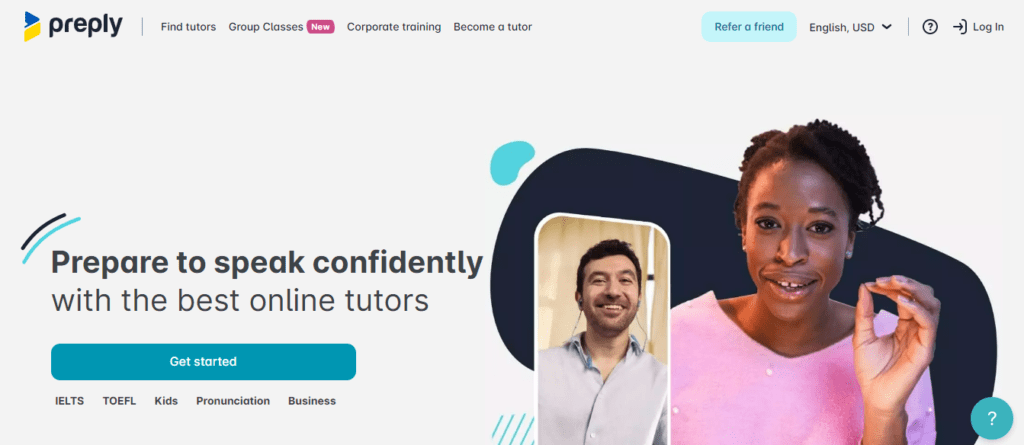
Welcome to the ghs e-learning platform, where learning meets innovation! This platform is designed not just to educate, but to inspire a new generation of learners through interactive and engaging course content.

With a focus on accessibility and inclusivity, the ghs e-learning platform offers a diverse range of courses tailored to meet the needs of its users, making education more reachable for everyone. Each feature is carefully crafted to enhance the user experience, ensuring that every learner can navigate and interact with ease.

Overview of GHS E-Learning Platform

The GHS E-Learning Platform is designed to provide a comprehensive online educational experience that caters to various learning needs. With its user-friendly interface and innovative features, the platform aims to enhance the learning journey for individuals of all ages and backgrounds. By leveraging advanced technology and pedagogical strategies, GHS E-Learning stands out as a leader in digital education.The platform offers a range of functionalities that facilitate effective learning.

Key features include interactive course materials, personalized learning paths, and robust assessment tools. These elements are geared towards creating an engaging and adaptive learning environment. Additionally, the platform incorporates multimedia resources, such as videos, quizzes, and discussion forums, allowing for a dynamic and collaborative educational experience.

Primary Features of the GHS E-Learning Platform

The GHS E-Learning Platform is equipped with several primary features that enhance its educational offerings. These features include:

  • Adaptive Learning Technology: This technology personalizes the learning experience by adjusting content based on individual progress and learning styles.
  • Interactive Assessments: Engaging quizzes and tests enable learners to evaluate their understanding and receive immediate feedback, fostering continuous improvement.
  • Resource Library: A vast collection of study materials, including articles, e-books, and research papers, is available for learners to access at their convenience.
  • Community Engagement: Discussion forums and social features allow users to connect, share ideas, and collaborate with peers and instructors.

Target Audience for the Platform

The GHS E-Learning Platform is designed to serve a diverse target audience. This includes:

  • Students: Learners of all ages looking for supplementary education or skill enhancement can utilize the platform to access a variety of courses.
  • Professionals: Individuals seeking to upskill or reskill, particularly in fast-paced industries, find value in the targeted courses offered.
  • Educators: Teachers and trainers can use the platform to create and share their own educational content, fostering a collaborative teaching environment.

Unique Selling Points of GHS E-Learning Platform

Several unique selling points differentiate the GHS E-Learning Platform from its competitors. These aspects contribute to its appeal and effectiveness in the e-learning market:

  • User-Centric Design: The platform is built with the user experience in mind, ensuring easy navigation and accessibility for all users.
  • Comprehensive Analytics: Detailed analytics track learner performance and engagement, providing insights for both learners and educators to improve the learning process.
  • Flexible Learning Options: With a blend of synchronous and asynchronous learning modes, users can choose the format that best suits their schedules and preferences.
  • Certification Programs: The platform offers recognized certification upon course completion, adding value to learners’ professional qualifications.

“The GHS E-Learning Platform is not just an educational tool; it’s a gateway to lifelong learning and professional development.”

User Experience and Interface

The user experience (UX) and interface design of the GHS e-learning platform play a crucial role in how learners interact with the content. A well-designed interface can foster engagement and facilitate the learning process, making it easier for users to navigate and absorb information. The GHS platform has made significant strides in optimizing its UX to cater to diverse learning needs.The navigation structure is fundamental in enhancing the learning experience.

Users are provided with a clear and intuitive layout that guides them through various courses and resources. This organization helps minimize cognitive load, allowing learners to focus on content absorption rather than struggling to find their way around the platform.

Navigation Structure

An effective navigation structure is vital for ensuring that learners can easily access the resources they need. The GHS platform employs a multi-tiered navigation approach, which includes a main menu with categorized sections. This structure allows users to filter content based on topics, difficulty levels, and course types. The following elements contribute to the efficiency of this navigation system:

  • Categorization: Courses are grouped by subject matter, making it straightforward for users to select the areas they wish to explore.
  • Search Functionality: A robust search feature enables users to quickly locate specific courses or materials, enhancing accessibility.
  • Progress Indicators: Visual cues that track user progress through courses help learners manage their time and stay motivated.

The integration of these features ensures that learners can navigate through the platform with ease, significantly enhancing their overall experience.

Feedback Mechanisms

User feedback is essential for the continuous improvement of the GHS e-learning platform. To facilitate this, several feedback mechanisms are in place that allow users to report issues or suggest enhancements. These mechanisms empower users and make them feel involved in the platform’s development. The options available include:

  • Feedback Forms: Users can fill out structured forms to provide detailed feedback on their experiences and any difficulties they encounter.
  • Rating Systems: Courses and content can be rated, providing valuable insights into user satisfaction and areas that might need attention.
  • Community Forums: A space for users to discuss their experiences and share suggestions with peers, fostering a collaborative learning environment.

These feedback channels ensure that the platform remains dynamic and user-centric, adapting to the evolving needs of its learners.

“A seamless user experience is not just about aesthetics; it’s about creating an environment where learning can flourish.”

Course Structure and Content Delivery

The GHS e-learning platform offers a comprehensive range of courses designed to cater to various learning needs and styles. Each course is structured to provide an engaging learning experience, combining flexibility with rich content to enhance learners’ understanding and retention. The platform emphasizes accessibility, ensuring that learners can pursue their educational goals at their own pace.GHS e-learning employs diverse methods for content delivery, which play a crucial role in creating an interactive and effective learning environment.

These methods include videos, articles, quizzes, and other engaging materials that appeal to different types of learners. Below are the primary content delivery methods utilized:

Types of Courses Offered

The GHS e-learning platform hosts an array of courses spanning various disciplines. These courses include:

  • Healthcare and Medicine
  • Business and Management
  • Technology and IT
  • Personal Development
  • Environmental Studies

Methods of Content Delivery

Content delivery on the GHS platform incorporates several methods to ensure a dynamic learning experience. The following are notable delivery formats:

  • Video Lectures: Engaging video content that illustrates complex concepts through visual aids.
  • Written Articles: In-depth articles that provide detailed insights and comprehensive backgrounds.
  • Interactive Quizzes: Quizzes that test knowledge and reinforce learning through immediate feedback.
  • Discussion Forums: Platforms for peer-to-peer interaction and discussion on course material.

Interactive Course Elements

To enhance learner engagement, the GHS e-learning platform integrates various interactive elements. These elements not only foster participation but also improve knowledge retention. Examples include:

  • Simulations: Real-world scenarios that allow learners to practice skills in a controlled environment.
  • Gamification: Incorporating game-like features such as points, badges, and leaderboards to motivate and reward learners.
  • Case Studies: Practical examples that challenge learners to apply theoretical knowledge to real-life situations.
  • Live Q&A Sessions: Opportunities for learners to engage directly with instructors and clarify doubts in real-time.

Accessibility and Inclusivity

The GHS e-learning platform is designed with a strong commitment to accessibility and inclusivity, ensuring all learners can engage with the content effectively. By incorporating various features, the platform accommodates users with different needs, allowing everyone to benefit from the educational resources available.The commitment to accessibility means that the platform employs a range of features and technologies tailored to support diverse learning needs.

This includes visual, auditory, and cognitive accommodations that help create an equitable learning environment. Essential components of the platform’s accessibility features include:

Features Supporting Accessibility

Several specific features have been implemented on the GHS e-learning platform to enhance accessibility. These features ensure that users with varying abilities can navigate and utilize the platform effectively.

  • Screen Reader Compatibility: The platform is designed to work seamlessly with screen readers, allowing visually impaired users to access content through audio narration. This ensures that all textual information is conveyed effectively.
  • Keyboard Navigation: Users can navigate the entire platform using only a keyboard, which benefits individuals with mobility impairments who may struggle with traditional mouse usage.
  • Adjustable Text Size and Color Contrast: Users have the ability to modify text size and background color contrasts to improve readability, catering to those with visual impairments or dyslexia.
  • Subtitles and Closed Captioning: All video content includes subtitles and closed captioning, making it accessible for users who are deaf or hard of hearing.

Catering to Diverse Learning Needs

Understanding that learners have varied preferences and requirements is vital for effective education. The GHS e-learning platform incorporates adaptive learning technologies that personalize the learning experience based on individual user profiles and needs.

  • Adaptive Learning Pathways: The platform analyzes users’ performance and learning pace, adjusting the content and difficulty level accordingly. This ensures that learners are neither overwhelmed nor under-challenged.
  • Multisensory Learning Resources: The platform offers a variety of materials, including videos, podcasts, and interactive simulations, catering to different learning styles whether visual, auditory, or kinesthetic.
  • Language Options: Users can select from multiple language options, making it easier for non-native speakers to engage with the material. This promotes inclusivity for learners from diverse linguistic backgrounds.

Examples of Language Options and Adaptive Technologies

The GHS e-learning platform has integrated specific technologies and features that cater to language diversity and adaptive learning experiences.

“The goal of the GHS e-learning platform is to create an inclusive space where every learner feels supported and empowered.”

  • Translation Features: Integrated translation tools allow users to translate content into their preferred language, ensuring that language barriers do not hinder learning opportunities.
  • Audio Narration in Multiple Languages: Content is available in several languages with professional audio narration, enhancing comprehension for users who are more comfortable with auditory learning in their native tongue.
  • Customizable Learning Interfaces: Users can choose layouts that suit their personal preferences, such as minimalist designs for reduced distractions or detailed views for comprehensive engagement.

Assessment and Feedback Mechanisms

Registration for advanced GHS training – NSI Training and Consultancy ...

The assessment and feedback mechanisms within the GHS e-learning platform are designed to ensure that learners receive comprehensive evaluations of their performance while simultaneously fostering an environment of continuous improvement. By utilizing a variety of assessment methods and feedback processes, the platform aims to enhance learner engagement and understanding of the course material.Assessment methods employed on the platform include a mix of formative and summative evaluations.

These methods are crafted to measure learner performance accurately at various stages throughout their learning journey. Common assessment types include quizzes, projects, and peer evaluations.

Assessment Methods

The platform uses multiple assessment strategies to cater to different learning styles and objectives. Each method is aimed at providing a holistic view of learner progress. The following are key assessment methods utilized:

  • Quizzes: Short, periodic quizzes are administered at the end of modules to assess knowledge retention and understanding of key concepts.
  • Projects: Hands-on projects encourage learners to apply theoretical knowledge practically, fostering deeper comprehension and skill development.
  • Peer Evaluations: By engaging in peer assessments, learners can not only receive feedback but also develop critical evaluation skills that are essential in collaborative environments.

Feedback is an essential component of the learning process, providing learners with insights into their performance and areas for improvement. Upon completing assessments, learners receive timely and constructive feedback that is tailored to their individual needs.

Feedback Process

The feedback process is structured to promote growth and understanding. Once an assessment is graded, learners are provided with detailed feedback that highlights their strengths and identifies areas needing improvement. This feedback includes:

  • Immediate Results: Learners can view their scores right after completing quizzes, allowing for quick reflection on their performance.
  • Detailed Comments: Instructors provide specific feedback on projects and assignments, outlining what was done well and what could be enhanced.
  • Opportunities for Revision: Learners are encouraged to revise their submissions based on feedback, facilitating a deeper understanding of the subject matter.

To optimize course offerings and enhance learner experience, the GHS e-learning platform leverages analytics to track and analyze learner performance and engagement.

Analytics for Course Improvement

Analytics play a crucial role in refining the e-learning experience. The platform collects data on learner interactions, assessment outcomes, and participation rates. This data is then analyzed to inform course adjustments and improvements. Key aspects include:

  • Performance Trends: By identifying trends in assessment scores, the platform can pinpoint which areas or topics learners struggle with the most.
  • Engagement Metrics: Tracking how learners engage with content helps instructors develop more engaging materials and activities.
  • Feedback Loop Creation: Continuous analytics allow for a feedback loop where course content is regularly updated based on learner needs and preferences.

Community and Collaboration Tools

The GHS e-learning platform offers a variety of community features designed to enhance the learning experience through interaction and collaboration. These tools not only foster a sense of belonging among learners but also facilitate knowledge sharing and teamwork. Engaging with peers can significantly enrich the educational journey, making learning more interactive and enjoyable.The platform provides multiple channels for learners to connect and collaborate effectively.

Through discussion forums, group projects, and peer feedback options, users can share insights, ask questions, and work together to achieve common goals. This collaborative environment encourages active participation and helps learners develop communication and teamwork skills, essential for both academic and professional success.

Discussion Forums and Group Projects

Discussion forums play a vital role in promoting dialogue among learners. These forums allow individuals to post questions, share resources, and respond to classmates, creating a dynamic learning community. Within these forums, learners engage in discussions around various topics relevant to their courses, sharing different perspectives and enhancing their understanding of the subject matter.Group projects are another significant feature of the GHS e-learning platform.

These projects enable learners to work together on assignments, allowing them to apply their knowledge collaboratively. Examples of group projects include:

  • Research Collaborations: Learners can form groups to conduct research on a specific topic, share findings, and present their work to the class.
  • Case Studies: Groups analyze real-world scenarios, discuss different approaches, and propose solutions together, fostering critical thinking and problem-solving skills.
  • Creative Presentations: Teams can create multimedia presentations that combine their unique skills, such as graphic design, writing, and data analysis, showcasing their collective efforts.

In addition to forums and group projects, the GHS platform also incorporates features such as peer review systems, where learners can provide constructive feedback on each other’s work, promoting a culture of continuous improvement. Community events, such as webinars and online workshops, further enhance collaboration by allowing learners to engage with guest speakers and industry experts, expanding their knowledge and network.

Overall, the community and collaboration tools on the GHS e-learning platform are designed to create a rich learning environment where learners can thrive both individually and collectively.

Integration with Other Tools and Technologies

The GHS e-learning platform is designed to be versatile and user-friendly, featuring robust integration capabilities with a variety of educational tools and technologies. This interconnectedness allows educators and learners to enhance their experience, making learning both efficient and engaging. By utilizing various applications alongside the platform, users can access a wealth of resources and features that complement their educational journeys.The ability to integrate with other software not only simplifies workflow but also enriches the learning environment.

For instance, the platform can seamlessly connect with learning management systems (LMS), communication tools, and content creation applications, allowing users to leverage multiple functionalities in one cohesive space. These integrations help to track progress, facilitate collaboration, and manage course materials more effectively.

Examples of Integratable Software and Applications

Several applications can be utilized in conjunction with the GHS e-learning platform to enhance educational delivery. The following examples highlight key tools that complement the platform’s capabilities:

  • Google Workspace: This suite includes tools like Google Docs and Google Drive, enabling real-time collaboration on documents, spreadsheets, and presentations. Integration with the GHS platform allows users to share resources and work collectively on assignments.
  • Microsoft Teams: This communication platform enhances interaction through chat, video calls, and file sharing, facilitating a collaborative learning environment. Integrating Teams enables learners to participate in discussions and group projects seamlessly.
  • Zoom: Known for its video conferencing capabilities, Zoom integration allows educators to conduct live classes and webinars directly through the GHS platform, making remote learning more accessible and interactive.
  • Kahoot!: This game-based learning platform can be connected to GHS to create interactive quizzes and assessments that engage students in a fun and competitive way, reinforcing learning through gamification.
  • Moodle: As a widely-used LMS, Moodle can be integrated to manage course content, track student progress, and provide personalized learning paths, enhancing the educational experience for users.

These integrations not only streamline processes but also enhance overall user engagement and satisfaction. By connecting the GHS e-learning platform with these tools, educators can provide a richer, more interactive learning environment that supports various learning styles and needs.

Integration with diverse educational technologies fosters a holistic learning experience, enabling students to maximize their potential.

Future Developments and Innovations

The realm of e-learning is constantly evolving, and the GHS e-learning platform is committed to incorporating the latest advancements to enhance the learning experience. As we look towards the future, several features and improvements are on the horizon, alongside trends that are shaping the landscape of online education.

Upcoming Features and Improvements

In response to user feedback and technological advancements, GHS is set to roll out several innovative features aimed at enriching user interaction and engagement. One such feature includes enhanced personalization tools that leverage AI to tailor learning paths for individual users based on their performance and preferences. This not only optimizes the learning experience but also increases knowledge retention.Another planned improvement involves the integration of gamification elements, such as badges and leaderboards, to motivate learners and encourage a competitive spirit.

This aligns with the trend of making learning more interactive and enjoyable.

Trends in E-learning

Several trends are influencing the future direction of e-learning platforms, and GHS is poised to adapt to these changes. The rise of microlearning has gained traction as learners increasingly prefer shorter, bite-sized content that is easy to digest. This shift provides opportunities for GHS to break down complex topics into concise modules, making learning more accessible and manageable.Moreover, the demand for mobile learning solutions is on the rise, driven by the convenience of accessing content anytime and anywhere.

GHS plans to optimize its platform for mobile devices, ensuring that learners can engage with materials seamlessly whether they are at home or on the go.

Integration of Emerging Technologies

Emerging technologies are set to play a pivotal role in shaping the future of the GHS e-learning platform. One notable technology is virtual reality (VR), which can offer immersive learning experiences, particularly in fields such as healthcare and engineering, where practical experience is crucial. For instance, VR simulations can allow students to practice surgical procedures within a controlled environment, enhancing their skills without the risks associated with real-life practice.Another promising technology is artificial intelligence (AI), which can be utilized for creating intelligent tutoring systems.

These systems analyze student performance in real time and provide tailored feedback and resources, functioning much like a personal tutor. This capability can significantly enhance learning outcomes by addressing individual challenges promptly.Additionally, blockchain technology is being considered for secure credentialing and certification, providing learners with verifiable proof of their achievements in a digital format. This can streamline the hiring process for employers and enhance the credibility of the GHS e-learning platform.As these innovations are implemented, the GHS e-learning platform aims to remain at the forefront of educational technology, providing an engaging, efficient, and effective learning experience for all users.

Last Recap

In conclusion, the ghs e-learning platform stands out as a comprehensive educational tool that blends innovative technology with user-friendly design. As we look ahead, the platform is set to evolve further, embracing emerging trends and technologies to enrich the learning experience for all users. Don’t miss out on the future of education—join the ghs e-learning platform today!

FAQ Explained

What types of courses are available on the ghs e-learning platform?

The ghs e-learning platform offers a variety of courses across multiple subjects, including academic topics, professional development, and personal skills.

How does the platform ensure accessibility for all learners?

It incorporates features like adaptive learning technologies, multi-language support, and user-friendly navigation to cater to diverse learning needs.

Are there tools for collaboration among learners?

Yes, the platform includes community features that allow users to engage in discussions and work on group projects together.

What kind of feedback can users expect after assessments?

Users receive detailed feedback that helps them understand their performance and areas for improvement, enhancing their learning journey.

Is the ghs e-learning platform compatible with other tools?

Yes, it integrates seamlessly with various educational tools and applications to enhance the overall learning experience.

Kicking off with platform example for students, educational platforms have transformed how students learn, offering a blend of resources, interactivity, and accessibility. These platforms serve as innovative tools that engage learners in diverse ways, making education more personalized and effective.

From Learning Management Systems to social learning environments, students can explore a variety of platforms that cater to their unique learning styles. Each platform is designed with features that promote collaboration, feedback, and skill development, thus creating a rich educational experience.

Definition of Educational Platforms

Educational platforms are digital environments designed to facilitate the learning process by providing resources, tools, and interactive features that support both students and educators. These platforms can take various forms, including learning management systems, online course providers, and educational apps, all aimed at enhancing the educational experience and making learning more accessible.The effectiveness of educational platforms largely hinges on their ability to integrate various learning resources and provide a user-friendly interface.

Successful educational platforms often incorporate multimedia elements, interactive quizzes, and collaborative tools to engage learners. Their design ensures that students can easily navigate through content, track their progress, and communicate with peers or instructors.

Examples of Popular Educational Platforms

Numerous educational platforms have gained popularity among students, each offering unique features that cater to diverse learning needs. Some notable examples include:

  • Coursera: This platform offers a wide array of courses from top universities worldwide, allowing students to learn at their own pace. Its structured learning paths and certificates add value to the educational experience.
  • Khan Academy: Known for its comprehensive video tutorials and practice exercises, Khan Academy serves as a free resource that supports learners from elementary through high school and beyond.
  • Edmodo: Designed for classroom collaboration, Edmodo provides a secure space for students and teachers to share resources, submit assignments, and communicate effectively.
  • Duolingo: This language-learning platform gamifies the learning experience, providing bite-sized lessons and engaging quizzes to help users acquire new languages in a fun way.

Effective Features of Educational Platforms

Several key features contribute to the effectiveness of educational platforms, enhancing the overall learning experience for students. Below are some of the most impactful characteristics:

  • Interactive Content: Engaging multimedia elements like videos, animations, and interactive quizzes keep students involved and motivated to learn.
  • Personalized Learning Paths: Many platforms adapt to individual learning styles and paces, allowing students to progress through materials that suit their needs and objectives.
  • Collaboration Tools: Features like discussion boards, group projects, and peer reviews facilitate communication and cooperation among students, promoting a sense of community.
  • Progress Tracking: Built-in analytics allow students to monitor their advancements and identify areas for improvement, ensuring that their learning is both efficient and effective.

“The best educational platforms are those that blend technology with pedagogy, fostering an environment where learning can thrive.”

Types of Educational Platforms

Educational platforms have revolutionized the way students engage with learning materials and each other. With the rise of digital technologies, various types of platforms have emerged, each tailored to meet specific educational needs. Understanding these types can help students and educators choose the best tools for effective learning experiences.Different types of educational platforms serve unique purposes, ranging from formal course delivery to collaborative learning environments.

This diversity allows for varied learning styles and preferences, enabling students to access resources that align with their educational goals. Below are the main types of educational platforms along with their functionalities and user experiences.

Learning Management Systems

Learning Management Systems (LMS) are software applications designed to manage, deliver, and track educational courses and training programs. They provide a structured environment for both instructors and learners. Key functionalities include:

  • Course Administration: Facilitates the creation, scheduling, and management of courses.
  • Assessment Tools: Offers quizzes, exams, and assignments that can be graded automatically.
  • Progress Tracking: Allows students and instructors to monitor progress and completion rates.
  • Content Management: Provides tools for uploading and organizing learning materials like videos, documents, and presentations.

User experiences on LMS platforms are often characterized by a structured workflow, where students follow a set curriculum. Popular LMS platforms include Moodle, Blackboard, and Canvas, each featuring intuitive dashboards that enhance user interaction.

Social Learning Platforms

Social Learning Platforms emphasize collaborative learning by allowing students to interact, share resources, and communicate openly. These platforms leverage social media principles to create interactive and engaging learning environments. Here are some noteworthy features:

  • Discussion Forums: Enable students to engage in conversations and share insights on various topics.
  • Resource Sharing: Allows users to upload, share, and access educational materials from peers.
  • Peer Reviews: Facilitates feedback loops among students, enhancing learning through collaboration.
  • Real-Time Communication: Incorporates chat tools and video conferencing to connect learners and instructors dynamically.

User experiences on social learning platforms tend to be more informal and interactive, fostering a sense of community. Examples of social learning platforms include Edmodo and Yammer, where students can create profiles and join groups to participate in discussions.

Massive Open Online Courses

Massive Open Online Courses (MOOCs) provide access to high-quality education on a large scale, allowing anyone to enroll and participate in courses offered by universities and institutions worldwide. Their key characteristics include:

  • Open Access: Courses are available to anyone with an internet connection, often for free or at a low cost.
  • Diverse Course Offerings: Cover a wide range of subjects, from computer science to humanities.
  • Flexible Learning: Learners can study at their own pace, accessing materials whenever it suits them.
  • Certification Options: Many platforms offer certificates of completion, which can enhance professional credentials.

The user experience on MOOC platforms like Coursera and edX is typically self-directed, providing a mix of video lectures, readings, and assessments. Participants often engage with global communities, enhancing their learning through diverse perspectives.

Collaborative Learning Platforms

Collaborative Learning Platforms focus on group activities and projects, facilitating teamwork and joint problem-solving among students. Essential functionalities of these platforms include:

  • Project Management Tools: Features that help students organize tasks, set deadlines, and track progress.
  • Shared Workspaces: Provide areas where students can collaboratively work on documents and presentations in real-time.
  • Feedback Mechanisms: Allow participants to give and receive input on each other’s contributions effectively.
  • Integration with Other Tools: Many platforms connect with tools like Google Drive or Microsoft Teams for seamless collaboration.

User experiences on collaborative learning platforms like Google Classroom and Trello are centered around teamwork, enabling students to learn from each other while working toward common goals.

Understanding the different types of educational platforms empowers students to choose the tools that best enhance their learning journeys.

Benefits of Using Educational Platforms

Educational platforms have transformed the learning landscape, providing students with resources and tools that enhance their educational experience. These platforms not only facilitate access to information but also foster engagement and collaboration among learners, making education more interactive and effective.The advantages of using educational platforms are numerous, leading to significant improvements in learning outcomes for students. For example, platforms like Khan Academy and Coursera offer tailored learning experiences, allowing students to progress at their own pace and revisit challenging concepts.

This personalized approach caters to different learning styles, ensuring that all students can achieve their academic goals.

Accessibility and Convenience

One of the primary benefits of educational platforms is their accessibility. Students can engage with materials anytime and anywhere, provided they have internet access. This flexibility not only accommodates varied schedules but also allows learners to balance education with other commitments. Key points include:

  • 24/7 Availability: Students can access course materials, lectures, and assignments at any time, which is particularly beneficial for those who may have jobs or family responsibilities.
  • Diverse Learning Resources: Platforms often provide a variety of multimedia content, including videos, quizzes, and interactive simulations, catering to different learning preferences.
  • Global Reach: Students from different geographical locations can connect and learn from the same resources, fostering a sense of community and collaboration.

Engagement and Interactivity

Educational platforms enhance student engagement through interactive features that traditional classroom settings may lack. Features such as discussion forums, live Q&A sessions, and collaborative projects contribute to a richer learning experience. The importance of these aspects is highlighted by the following points:

  • Active Learning Opportunities: Interactive components encourage students to participate actively in their learning process, which can lead to better retention of information.
  • Peer Collaboration: Many platforms allow students to work together on projects or study groups, promoting teamwork and communication skills.
  • Immediate Feedback: Quizzes and assessments provide instant feedback, enabling students to identify areas for improvement and adjust their study strategies accordingly.

Impact on Academic Performance

Numerous studies have demonstrated the positive impact of educational platforms on student performance. For instance, a report by the Online Learning Consortium found that students who participated in online learning environments had higher retention rates and improved test scores compared to traditional classroom settings. Notable statistics include:

“According to research, students engaged in online platforms scored an average of 10-15% higher on standardized tests than their peers in conventional learning environments.”

Case studies show that institutions implementing educational platforms, such as the University of California, experienced a 20% increase in course completion rates after integrating online tools. Additionally, a survey reported that 85% of students felt more motivated to learn when using educational platforms compared to traditional methods.

Popular Examples of Platforms for Students

In the digital age, various platforms have emerged to enhance the educational experience for students. These platforms cater to diverse learning styles, offering resources that support different aspects of academic life. From interactive learning tools to comprehensive study aids, students have access to a wealth of information and support at their fingertips.

Overview of Popular Student Platforms

The following platforms are specifically designed with student needs in mind, offering various features that accommodate different learning preferences and academic requirements. Here is a detailed table summarizing these platforms:

Platform Name Description Key Features Target Audience
Khan Academy A free online resource that offers courses in a wide range of subjects. Video tutorials, practice exercises, personalized learning dashboards. Students from elementary to college level, self-learners.
Coursera An online platform that provides access to courses from top universities and organizations. Massive open online courses (MOOCs), certificates, and specialization programs. College students and professionals seeking to enhance their skills.
Quizlet A study tool that uses flashcards and games to aid in memorization and learning. Customizable flashcards, study games, collaborative learning options. High school and college students, educators.
Edmodo A social learning platform that connects students and teachers. Classroom communication, assignment tracking, resource sharing. Middle and high school students, teachers.
Duolingo A platform focused on language learning through gamification. Interactive lessons, progress tracking, language quizzes. Students of all ages interested in learning new languages.

Each of these platforms has been carefully designed to cater to specific student needs and learning styles. For instance, Khan Academy is ideal for visual learners who benefit from video tutorials, while Quizlet supports auditory and kinesthetic learners through interactive flashcards and games. Additionally, Coursera’s comprehensive range of courses makes it suitable for self-driven learners looking to gain knowledge in various fields.

The diverse options available ensure that students can find the right tools to support their educational journey effectively.

Creating an Effective Educational Platform

An effective educational platform serves as a bridge between instructors and learners, facilitating a seamless learning experience. It is essential to integrate key components that foster engagement, accessibility, and interaction to enhance the educational journey of students.In order to achieve this, designers need to focus on creating an intuitive structure that not only accommodates various learning styles but also allows for easy navigation.

A well-designed platform can significantly improve student satisfaction and overall learning outcomes.

Key Components of an Effective Educational Platform

It is vital to incorporate various features that cater to both students and educators on an educational platform. Key components include:

  • User Profiles: Personalized profiles that allow students to track their progress, achievements, and learning preferences.
  • Course Catalog: A comprehensive catalog that lists available courses, complete with descriptions, prerequisites, and instructor information.
  • Interactive Learning Tools: Features such as quizzes, flashcards, and discussion forums to enhance engagement and retention.
  • Communication Channels: Integrated messaging systems and video conferencing capabilities for real-time interaction between students and instructors.
  • Assessment and Feedback Mechanisms: Tools for ongoing assessments and feedback to help students understand their performance and areas for improvement.

User-Friendly Navigation and Accessibility

Ensuring an educational platform is user-friendly and accessible is crucial for maximizing its effectiveness. Platforms should adhere to best practices in user experience (UX) design to facilitate easy navigation. This includes:

  • Clear Menu Structure: A straightforward menu layout that allows users to find information quickly without unnecessary clicks.
  • Responsive Design: Compatibility across various devices and screen sizes, ensuring a consistent experience whether on a mobile device or desktop.
  • Accessibility Features: Options for text-to-speech, captions, and alternative text for images to accommodate users with different needs.
  • Search Functionality: Efficient search tools that help users locate specific content or resources swiftly.
  • Consistent Layout: A uniform design throughout the platform to help users feel familiar with navigation, reducing the learning curve.

Essential Features for Enhancing Student Learning Experiences

Incorporating specific features into an educational platform can significantly enhance the learning experience for students. These features can include:

  • Gamification Elements: Features such as points, badges, and leaderboards to motivate students and make learning more enjoyable.
  • Resource Libraries: A centralized repository of learning materials, including articles, videos, and external links for further study.
  • Personalized Learning Paths: Customizable courses that adapt to individual learning speeds and styles to provide a tailored educational experience.
  • Collaboration Tools: Features that promote group work and peer interaction, such as shared documents and project boards.
  • Analytics and Reporting: Tools for tracking student performance and engagement, providing valuable data for both students and educators.

Challenges Faced by Educational Platforms

Education platform by Perizat Duisegali for TechWings on Dribbble

Educational platforms have revolutionized the way knowledge is disseminated, significantly widening access to learning resources. However, despite their growth and innovation, these platforms encounter various challenges in delivering educational content effectively. Identifying these hurdles is essential for improving the user experience and ensuring that learners can achieve their educational goals without unnecessary obstacles.One of the most common challenges faced by educational platforms is the delivery of content that is engaging and relevant to a diverse audience.

Different students have varying learning styles, preferences, and backgrounds, making it crucial for platforms to cater to a broad spectrum of needs. Another significant issue is the technical reliability of the platform itself; downtime or slow loading times can frustrate users and hinder their learning experience.

Content Relevance and Engagement Strategies

To combat the challenge of content relevance and engagement, platforms can adopt several strategies. The implementation of personalized learning paths enables students to receive tailored content that suits their individual needs. Integrating multimedia resources like videos, podcasts, and interactive quizzes can enhance engagement and cater to different learning styles.Additionally, fostering a community through discussion forums and collaborative projects encourages peer interaction, which can lead to deeper learning experiences.

Many platforms are also utilizing data analytics to monitor student progress and adapt content dynamically, ensuring that learners remain engaged and receive support when needed.

Technical Reliability and User Experience Improvements

Improving technical reliability is critical for any educational platform. Regular maintenance and updates can prevent downtime and enhance performance. Investing in robust server infrastructure and utilizing cloud services can help ensure that platforms can handle high traffic and provide seamless access to resources.User experience design plays a vital role in retention and satisfaction. Intuitive navigation and clear interfaces minimize frustration, allowing students to focus on learning.

Ensuring that platforms are mobile-friendly also expands access, catering to students who prefer learning on their devices.

Student Testimonials on Platform Challenges

Students often share their experiences and challenges faced on various educational platforms. A recurring theme in testimonials indicates that while platforms offer extensive resources, finding relevant materials can sometimes be difficult. For instance, a student might express frustration over the abundance of content that lacks clear organization, making it challenging to locate specific information quickly.Another common issue highlighted by students is the lack of responsive customer support.

Many learners have reported delays in receiving assistance for technical issues or course-related inquiries, which can hinder their educational progress.

“Sometimes, I feel overwhelmed by the amount of information available, yet I struggle to find what’s truly relevant to my studies.” – Anonymous Student

By addressing these challenges proactively, educational platforms can enhance their services and ultimately improve the learning experience for students. Continuous feedback from users and an emphasis on adaptability can lead to more effective and satisfying educational journeys.

Future Trends in Educational Platforms

The landscape of educational platforms is rapidly evolving, influenced by advancements in technology and shifting educational needs. As we look to the future, it is essential to understand the trends that will shape learning experiences and the potential impacts on students and educators alike.The integration of artificial intelligence (AI) and machine learning (ML) is set to revolutionize educational platforms, creating personalized learning experiences that cater to individual student needs.

These technologies enable platforms to analyze student performance data and adapt content delivery accordingly, ensuring that learners receive the support and resources they require to succeed. Moreover, as AI continues to evolve, we can expect it to enhance administrative efficiency, allowing educators to focus more on teaching and less on paperwork.

Innovations Shaping Future Learning Environments

Several innovations are predicted to significantly influence educational platforms in the coming years, enhancing both engagement and learning outcomes. Understanding these innovations provides insight into how educational environments may transform.

  • Adaptive Learning Technologies: These systems utilize algorithms to modify the learning path based on real-time data about student interactions and performance, fostering a more individualized educational experience.
  • Virtual and Augmented Reality (VR/AR): Immersive technologies will enable students to explore complex subjects through simulations and interactive experiences, making learning more engaging and effective.
  • Blockchain for Credentialing: Blockchain technology may become widely used for securing academic credentials, enhancing the verification process, and reducing fraud in educational records.
  • Data Analytics for Learning Insights: The use of big data analytics will empower educators to make informed decisions based on student performance trends, identifying areas for improvement and tailoring interventions.
  • Collaborative Learning Platforms: Enhanced communication tools and collaborative workspaces will foster teamwork and peer learning, important skills in modern educational contexts.
  • Gamification: Integrating game-like elements into learning can increase motivation and engagement, transforming traditional educational approaches into more dynamic experiences.
  • AI-Powered Tutoring Systems: Intelligent tutoring systems will provide students with instant feedback and personalized support, making learning more accessible outside of traditional classroom environments.

“The future of education is not about filling minds with facts but about cultivating creativity, critical thinking, and adaptability.”

Closure

In conclusion, platform example for students underscores the significant impact of technology on education. As these platforms evolve, they promise to enhance learning experiences, foster engagement, and prepare students for future challenges. Embracing these tools will be crucial in shaping the educational landscape of tomorrow.

Common Queries

What is an educational platform?

An educational platform is a digital tool designed to facilitate learning through online resources, courses, and collaborative features.

How do educational platforms improve learning?

They enhance learning by providing interactive content, personalized feedback, and opportunities for collaboration among students.

Are there free educational platforms available?

Yes, many educational platforms offer free access or freemium models, enabling students to utilize resources without financial barriers.

Can educational platforms cater to different learning styles?

Absolutely! Many platforms incorporate various multimedia and interactive elements to engage visual, auditory, and kinesthetic learners.

What are common challenges faced by educational platforms?

Challenges include technical accessibility, user interface complexity, and ensuring the quality of content delivered.